
Meta advertising is not a marketing luxury — it is the fastest way to put your product in front of a buyer who has never heard of your store. The advantage of running the campaign from inside your Salla dashboard is that the ad is wired straight into your store's data: the Pixel reads visitor behaviour, the Conversion API sends real purchases back to Meta, and the algorithm learns from actual buyers rather than guesses.
This guide walks the whole flow: connecting your Business Manager, ad account and Pixel; picking an objective; writing the copy; setting audience and budget; then reviewing and launching. We also added a section the official help article skips — how to derive your budget from your profit margin, and which mistakes burn the spend in week one.
Ads buy you instant attention that stops the moment you stop paying; search visibility builds a stream that keeps arriving with no cost per click. Read the store SEO guide, then the abandoned carts guide — your cheapest retargeting audience is already sitting there.
- Why run Meta ads from inside Salla
- The connection tools page
- Connecting your Meta account
- Creating a new ad
- Choosing the campaign objective
- Designing the ad and writing the copy
- Defining the target audience
- Budget and bidding strategy
- Review, launch and follow-up
- A strategy for making Meta ads profitable
- FAQ
Why run Meta ads from inside Salla
You can open Meta Ads Manager and build the campaign there. But running it from Salla removes the technical layer that quietly kills most campaigns: installing the Pixel and passing purchase events correctly. What you gain:
- Wider reach: more than 3 billion monthly active users across Facebook and Instagram.
- Flexible targeting: reach people by location, age, interests and behaviours.
- Dynamic ads: products shown automatically to shoppers who browsed them, instead of one static ad for everyone.
- Advanced retargeting: remind people who viewed a product or added it to the cart and never checked out.
- Lookalike audiences: target people who resemble your existing buyers.
- AI-driven optimisation: Meta's machine learning decides when and to whom your ad is worth showing.
The connection tools page
1. On the Salla Ads page, open the Connection tools tab.

These tools give your campaign accurate audience data, because they push store events to the ad platform through both the Conversion API and the Pixel: the first sends events from the server so you don't lose them when a browser blocks tracking, the second follows visitor behaviour across your pages.
You need at least one previous campaign on Salla Ads before the connection completes. If your account is brand new, launch your first campaign, then return to these steps.
Connecting your Meta account
1. Click Connect your account.
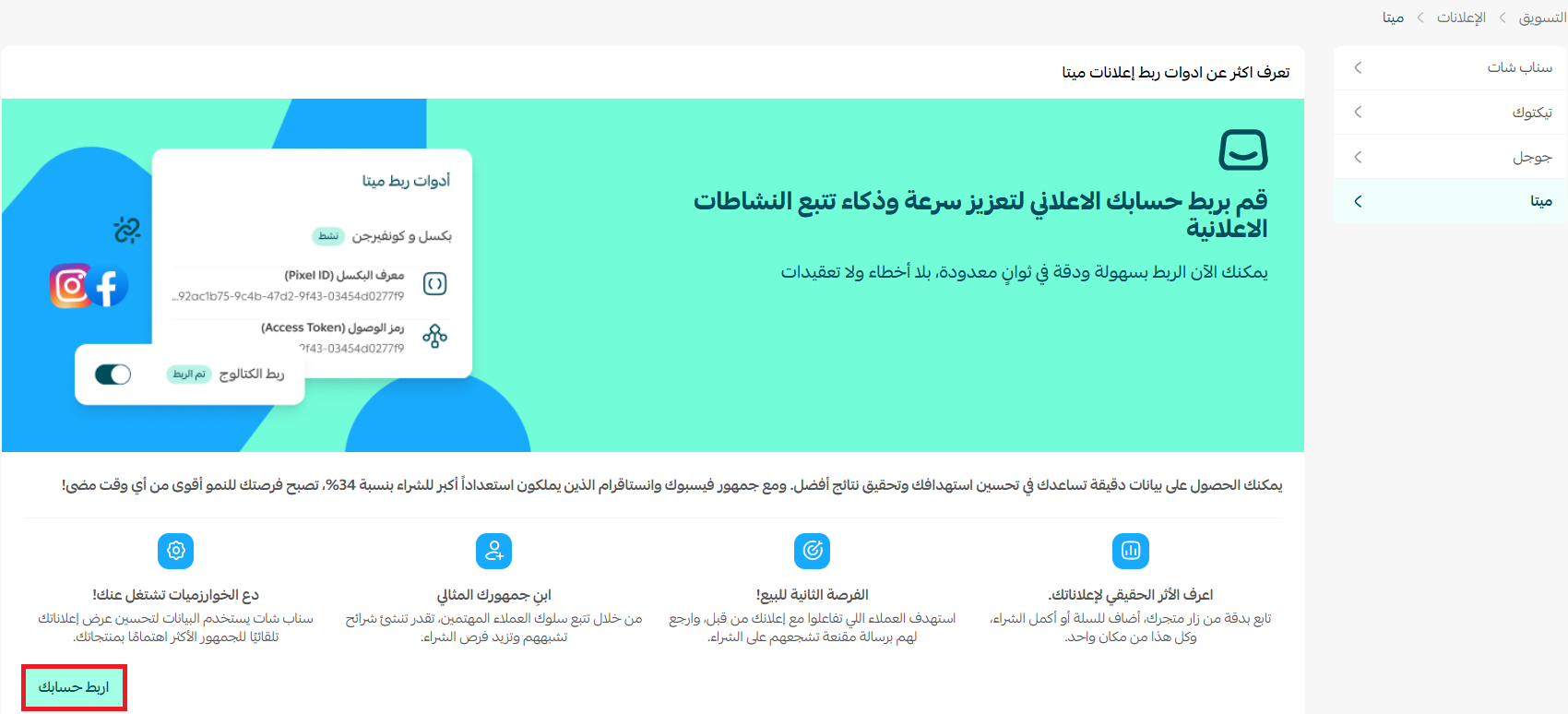
If you don't have an account, Salla will guide you through creating one. Finish creating the account and its Pixel before continuing with the remaining steps.
2. Select the Business Manager account you want and click Continue.
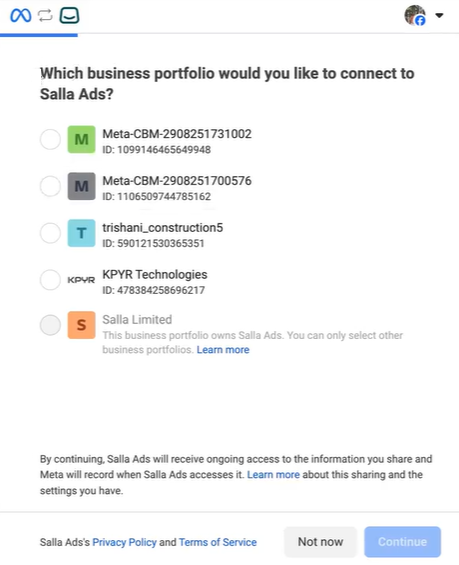
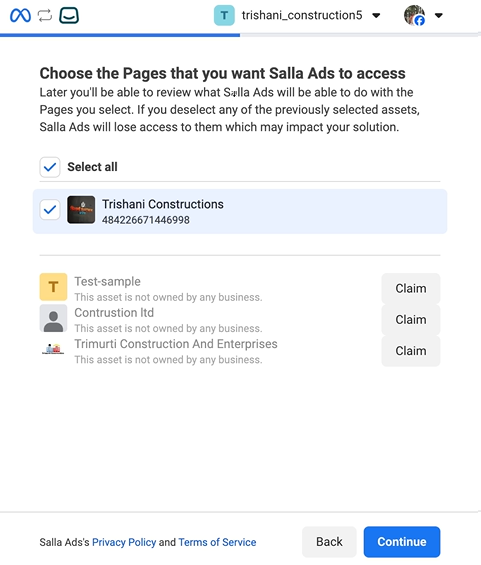
3. Select the ad account and click Continue.
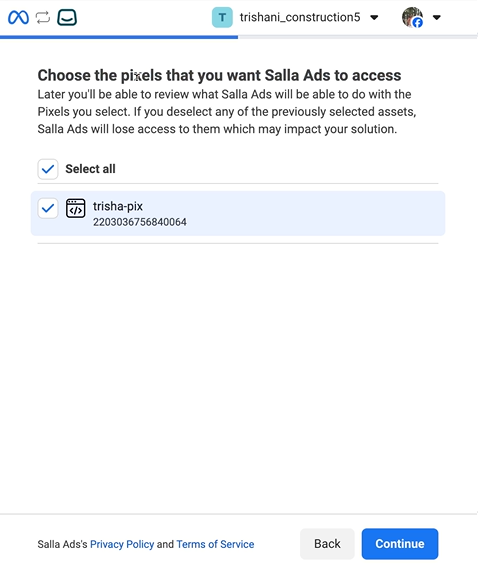
4. Select the Pixel and click Continue.
5. Select the Instagram account and click Continue.
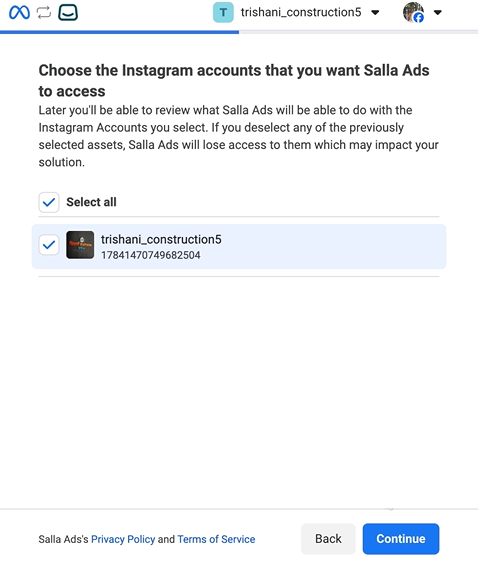
6. Review the permissions the connection requires, then click Save to finish.
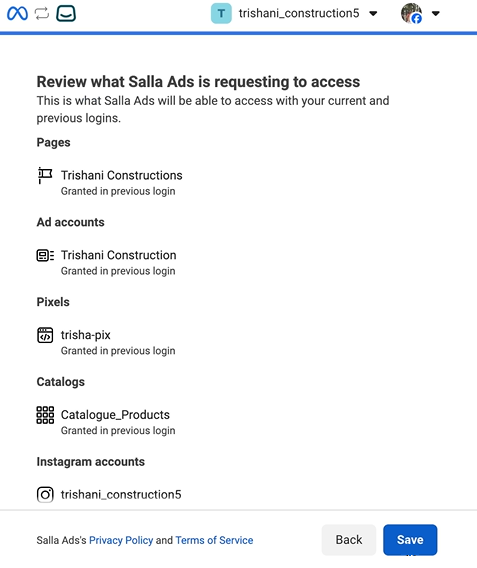
Once connected, place a small test order and confirm that the ViewContent, AddToCart and Purchase events arrive. A campaign running on a misconfigured Pixel is budget spent with no learning in return.
Creating a new ad
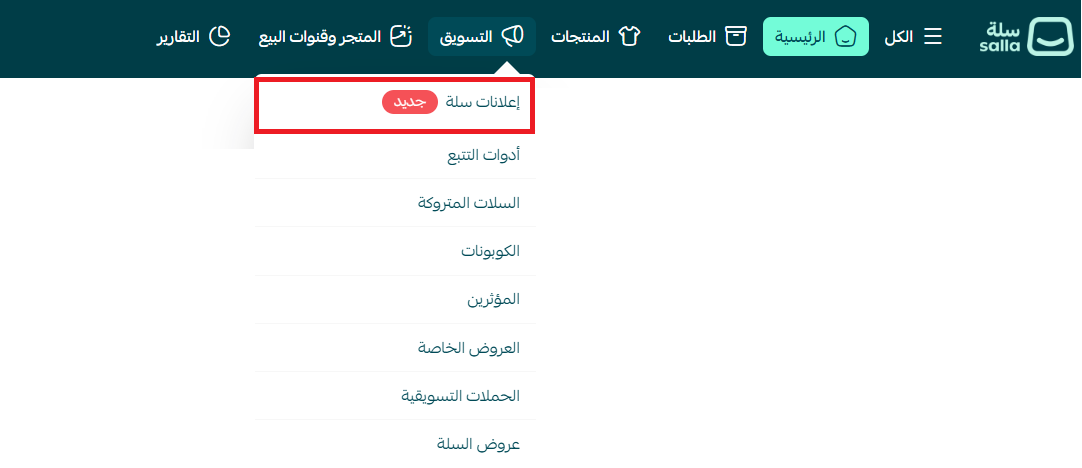
1. From the main menu click Marketing, then Salla Ads.
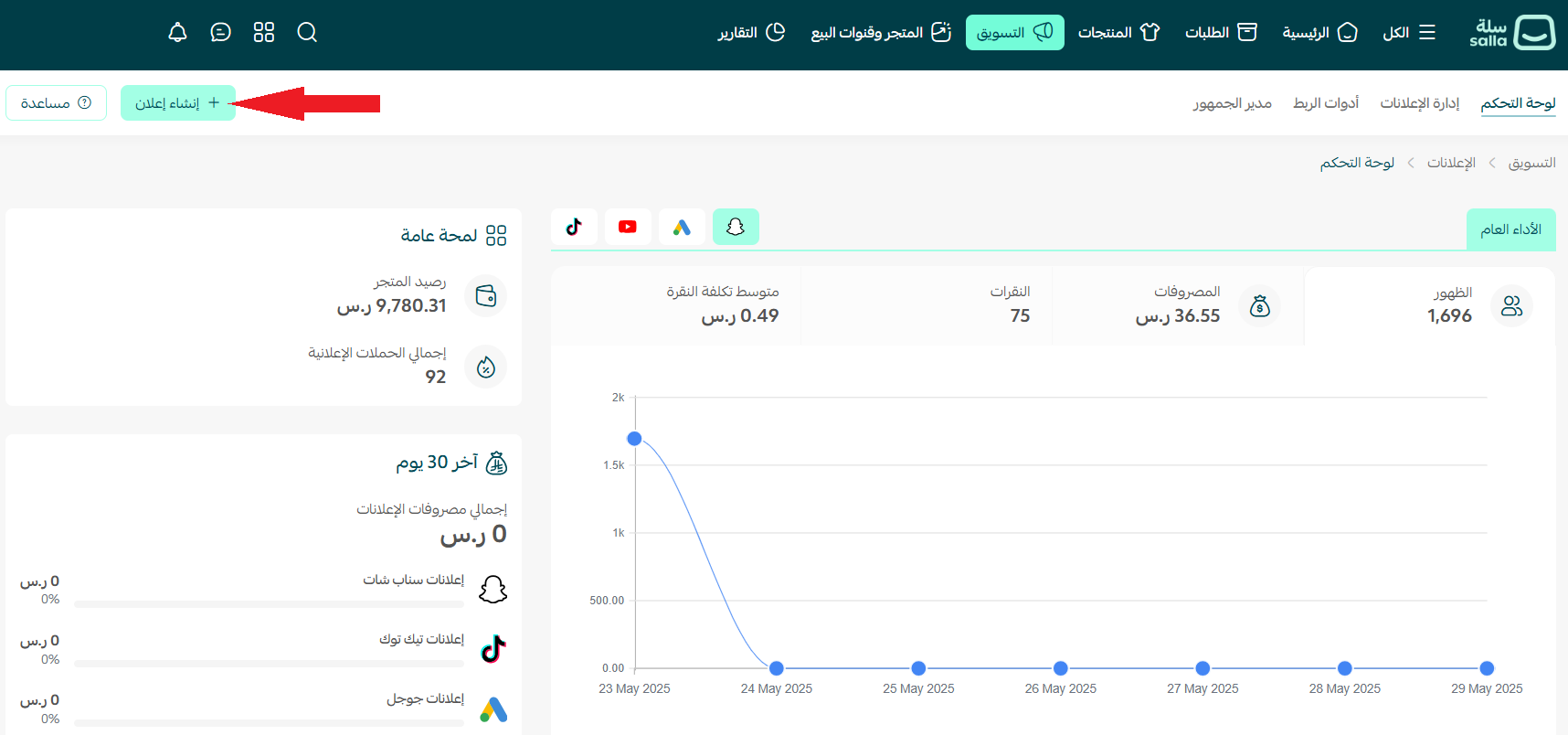
2. On the dashboard page click Create ad. If you have no previous campaigns, Salla will take you straight into creating a new one.
3. Choose Meta as the platform for your campaign.
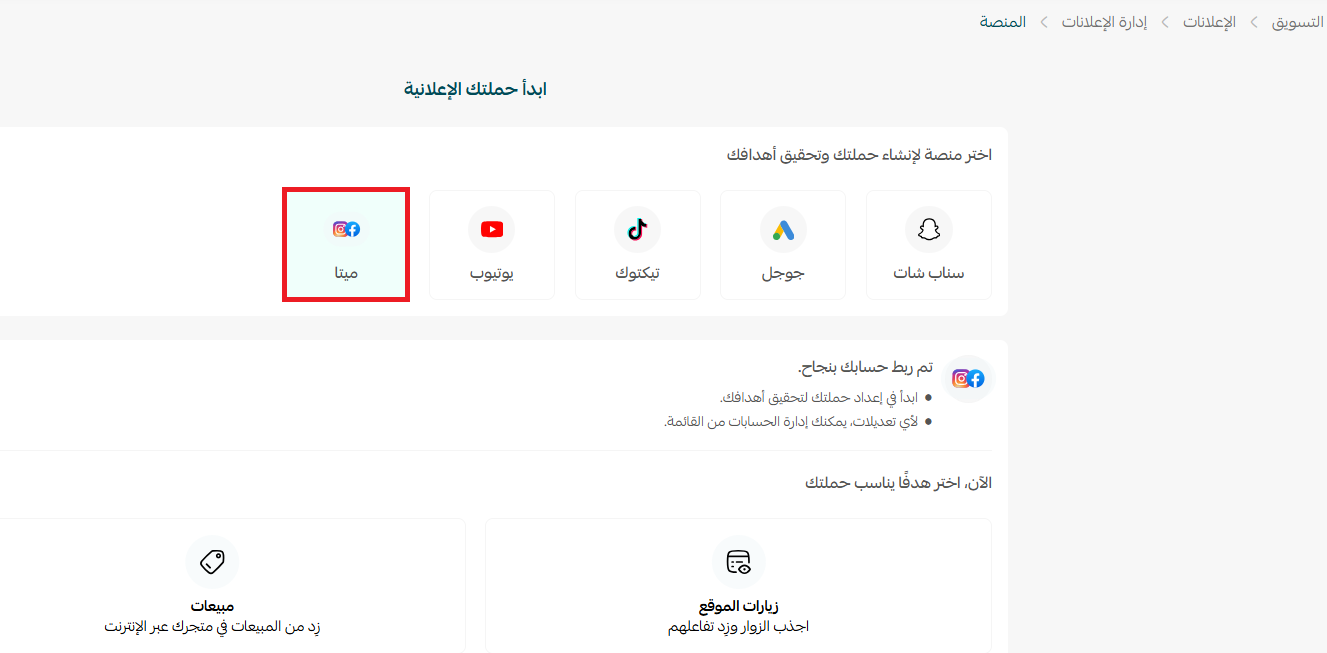
Choosing the campaign objective
4. Pick the objective that fits the campaign, then click Create ad. The choice is not cosmetic — it tells the algorithm which kind of person to hunt for.
Case 1 — a sales campaign: right when your store is ready and already has purchase data; the algorithm looks for people most likely to complete an order.
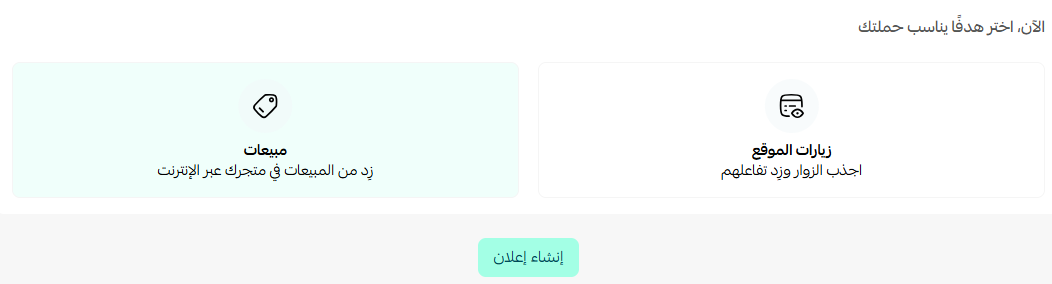
Case 2 — a website traffic campaign: right for new stores or a product launch, where you first need to build an audience and collect enough data before optimising for purchases.
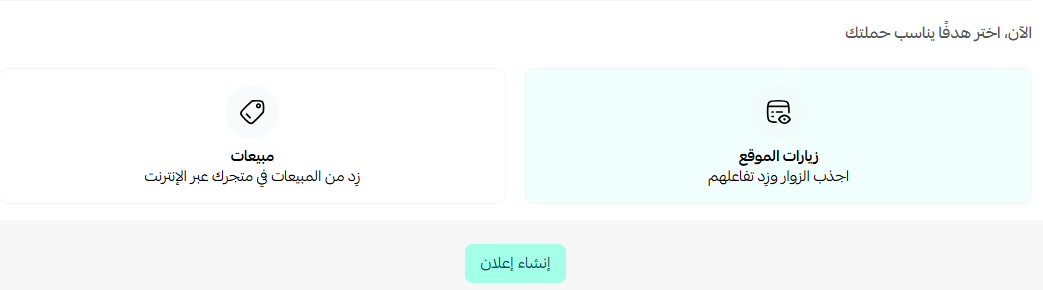
If your store already takes orders, start with the sales objective. With no purchase data in your first month, a short traffic campaign builds an audience you can retarget later at far lower cost.
Designing the ad and writing the copy
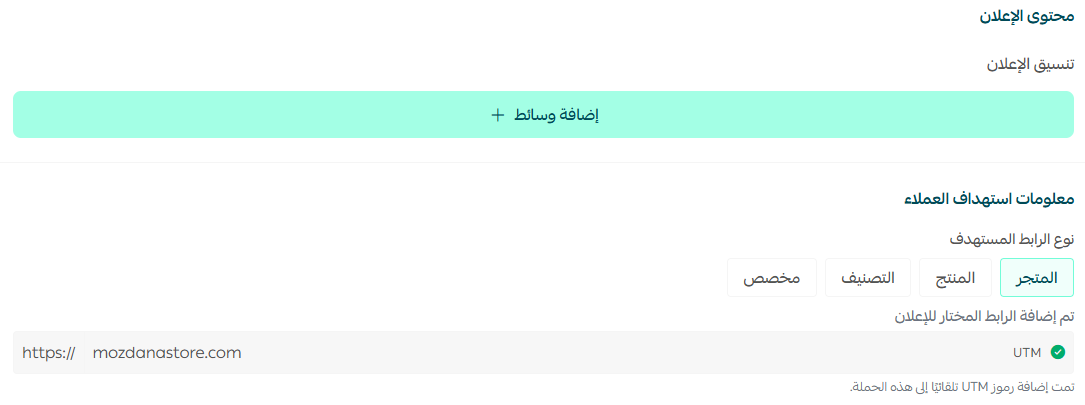
5. Write a short, descriptive campaign name and choose the conversion actions you want. You can watch the final look of the ad take shape in the Preview panel as you go.
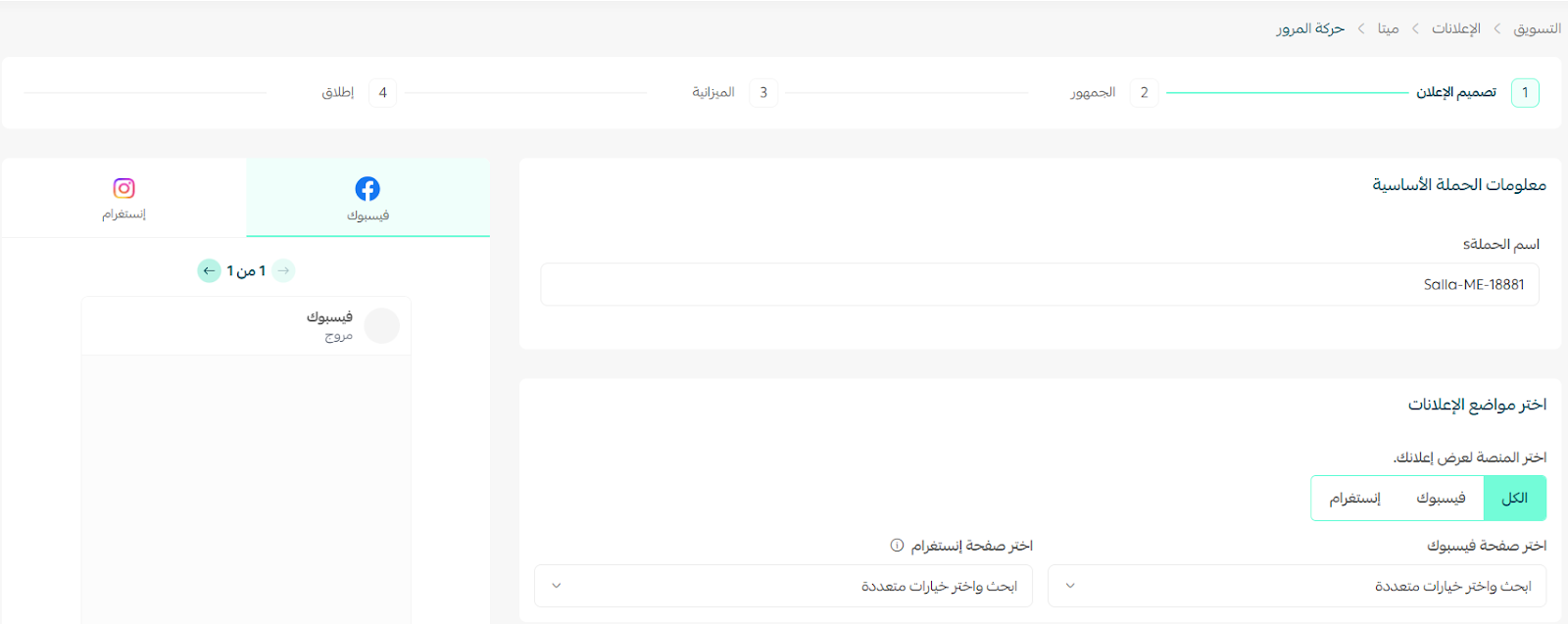
Next add the ad image through Add media, set the destination link the customer lands on — a product page, a category, or the homepage — and choose the call-to-action button label.
Then you write the ad content — primary texts, headlines and descriptions — within clear limits:
- Primary text: up to 5 texts, each no longer than 30 characters.
- Headlines: up to 5 headlines, each no longer than 30 characters.
- Descriptions: up to 5 short descriptions that push the reader to act, each no longer than 90 characters.
An AI assistant is built into the page to draft texts, headlines or descriptions quickly — treat its output as a first draft and rewrite it in your own voice.
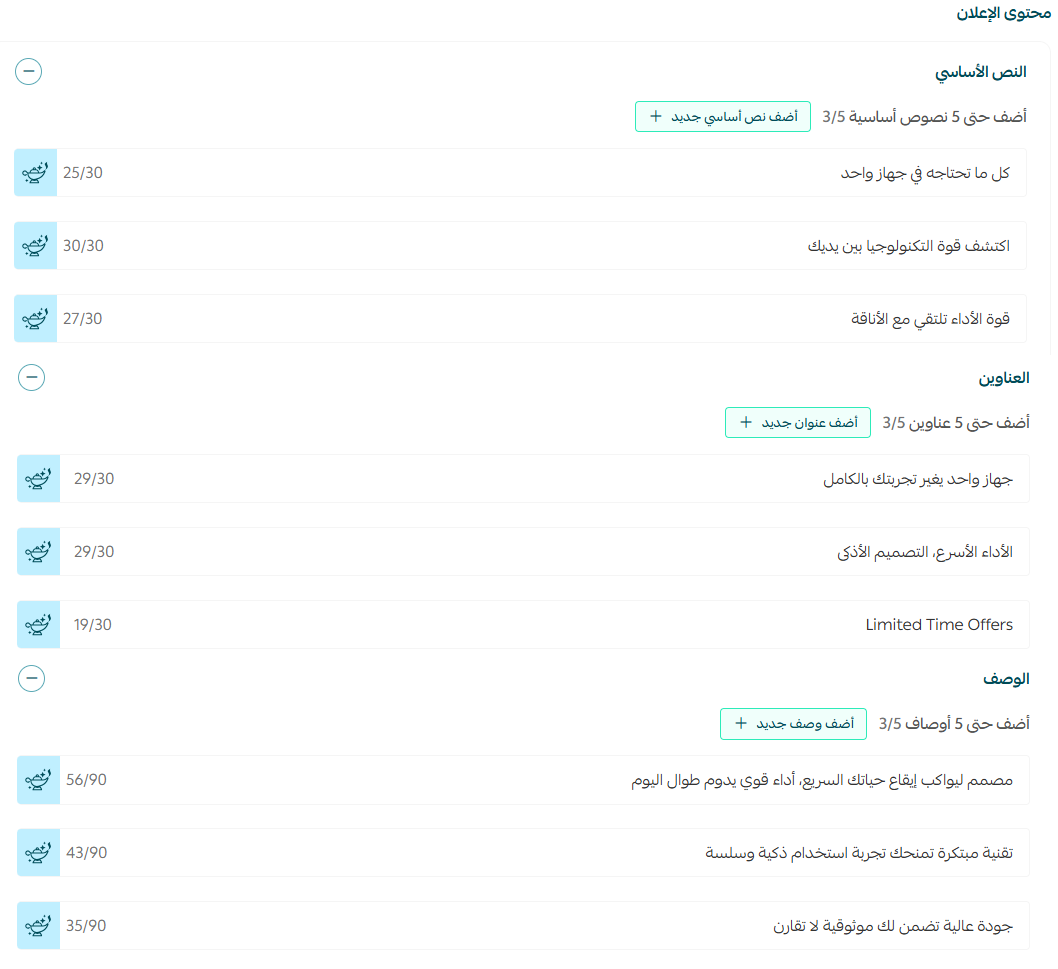
When you provide several texts and headlines, the platform tests them automatically and serves the best-performing combination per person. Write the variants from different angles: one on price, one on the problem the product solves, one on social proof such as ratings.
Defining the target audience
6. Define who sees the ad: set the location either by country and region or as a specific radius around a point on the map, then set demographics such as age and gender.
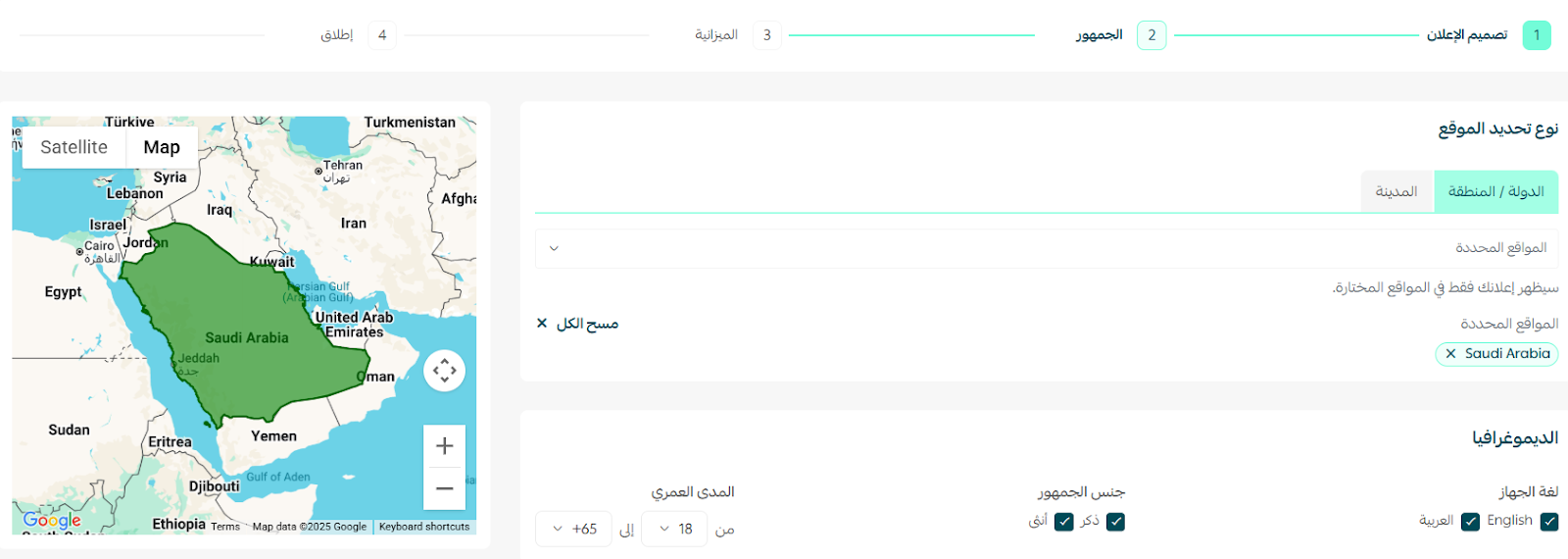
If your product depends on fast delivery inside one city, narrowing the radius lifts conversion rate and lowers cost per order instead of scattering budget across areas you don't serve.
Budget and bidding strategy
7. Set the campaign budget by defining the ad duration and the CPC (cost per click) bidding strategy. You have two options:
- Automatic: Meta decides the cost per click to reach the best results on its own.
- Manual: you set a maximum cost per click and keep control of the price.
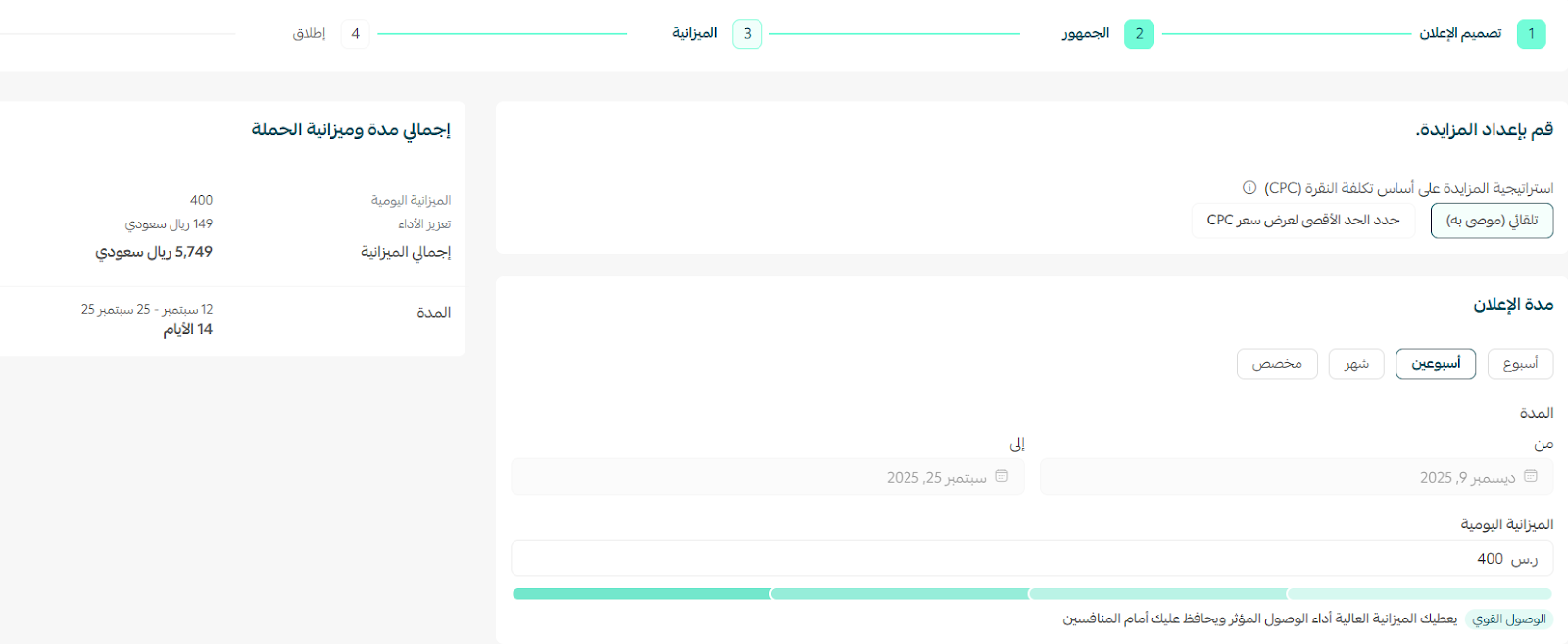
In the same step you can ask the Salla Ads team to optimise the campaign for you, applying their content and keyword best practices.

The minimum daily budget is 150 SAR and the minimum duration is 7 days. Do not raise or cut the budget every day — every large edit throws the campaign back into the learning phase and wastes the data already gathered.
Review, launch and follow-up
Finally, review the full campaign before launching it: objective, media, copy, audience, duration and budget.
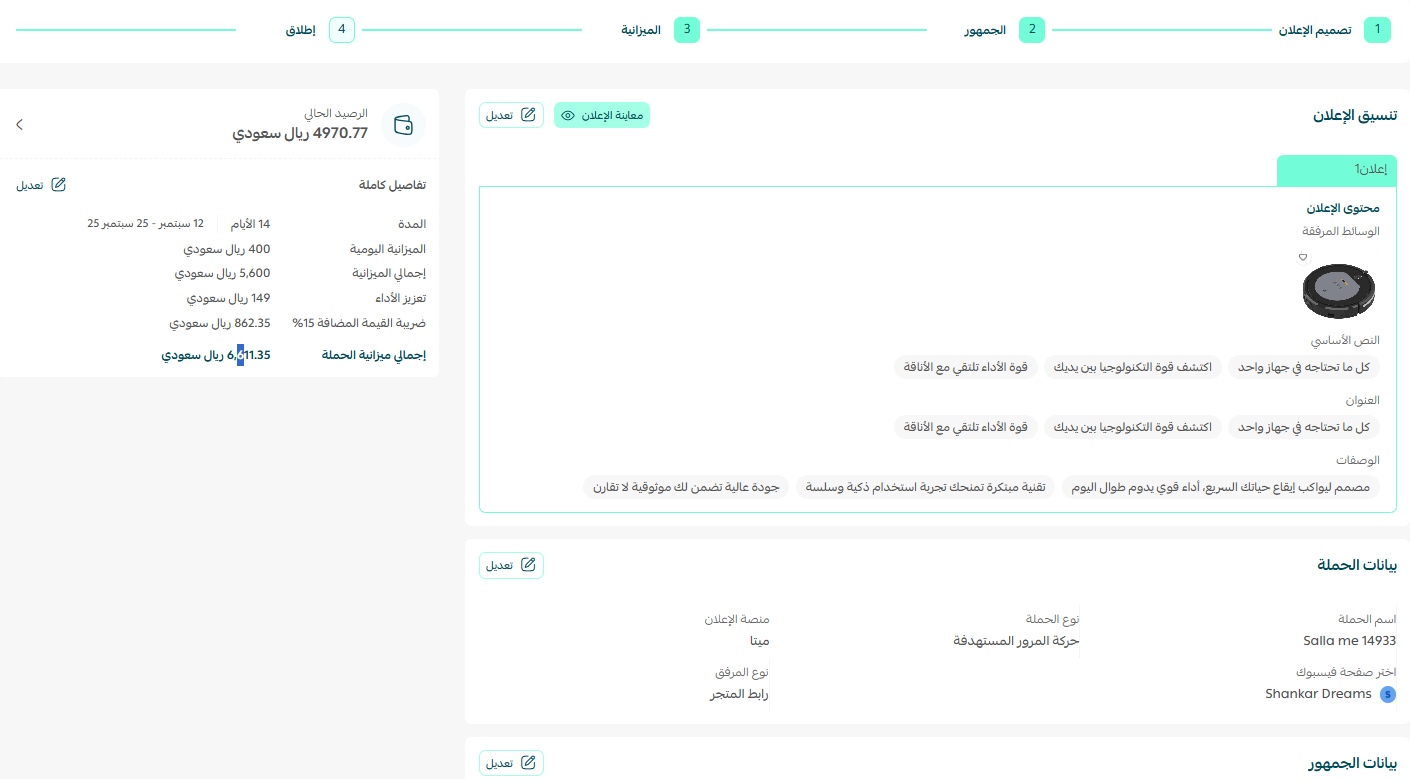
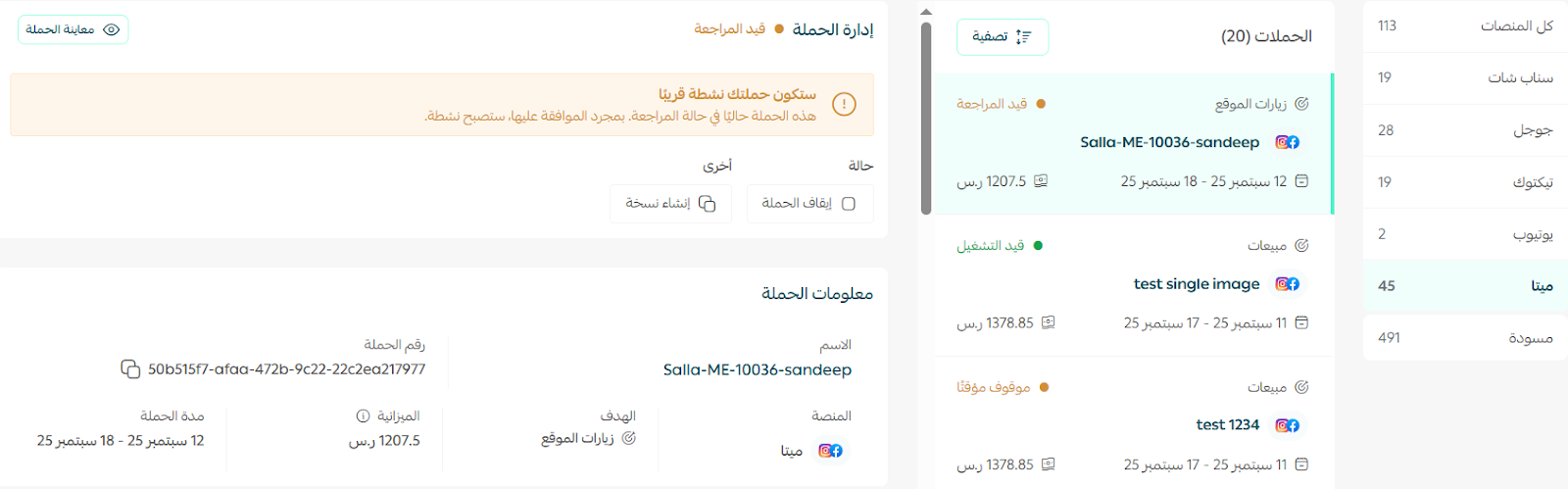
Once launched, your campaign appears under the Ads management tab, where you follow its status and results.
A strategy for making Meta ads profitable
A successful campaign is not measured in impressions or clicks, but in what is left in your account after the ad spend is deducted. These are the rules we apply with our clients' stores:
- Set your cost-per-order ceiling before launch: if your average order value is 300 SAR and your margin is 35% — about 105 SAR — any campaign acquiring an order above that loses money. Aim for half the ceiling.
- Give the campaign a full week: the first three to four days are a learning phase, and judging performance before it ends is how good campaigns get killed early.
- Creative beats targeting: an image or video that stops the thumb in two seconds moves the numbers more than any fine-tuned audience setting.
- Split out retargeting: someone who viewed a product or abandoned a cart buys at a fraction of a cold audience's cost, so give them their own campaign and incentive.
- Send the ad to a fast page: a great ad pointing at a slow product page means paying for the click twice.
- Measure after the click: track conversion rate, average order value and cost per order weekly — not likes.
Launching before verifying the Pixel fires; running a sales objective with zero purchase history; editing budget or audience daily; targeting countries you don't ship to; and leaving one creative running until the audience is blind to it.
Most important of all: paid advertising stops the second you stop paying, while search engine traffic keeps bringing buyers once built. The smart mix is to buy attention today through Meta while building a strong reputation online that makes your store show up for people already searching for what you sell. At SEOS7 we analyze, optimize, maximize: we measure the journey from ad to checkout and fix whatever leaks sales. Explore Salla store SEO, or read our case studies.
FAQ
Can I run a campaign for just two days?
No. The shortest available duration is 7 days, because the algorithm needs enough data during the learning phase before it settles on the best audience; shorter runs end before the campaign reaches its real performance.
What is the minimum budget for a campaign?
The minimum daily budget is 150 SAR. The floor exists so your ad reaches an audience large enough to produce meaningful results, instead of spreading a small amount thinly with no measurable effect.
Do I need a previous campaign before connecting Meta?
Yes. You must have run at least one campaign on Salla Ads for the connection to complete. If your account is new, run your first campaign, then return to the connection tools tab to finish linking.
What is the difference between the sales and traffic objectives?
The sales objective looks for people most likely to complete a purchase and needs prior purchase data to work well. The traffic objective brings more visitors at a lower cost per click, which suits new stores building an audience to retarget later.
Do Meta ads replace optimising my store for search engines?
No. Ads stop the moment the spending stops, while search engine traffic keeps working after it is built. Run both: ads bring fast sales today, and store optimisation reduces your dependence on paid traffic month after month.
Spending on Meta ads and wondering where sales leak between the click and the checkout? The SEOS7 team audits your Salla store technically and editorially, and connects your advertising to a purchase path that keeps customers. Request a free SEO audit for your store and get the results within 48 hours, with no obligation.