
The most expensive customer in your store isn't the one who hasn't bought yet — it's the one who bought once and then vanished. Acquiring a new buyer costs several times more than convincing a previous one to reorder, yet most store budgets go entirely to acquisition. Repurchase reminders flip that equation: instead of waiting for a customer to notice their coffee is nearly gone, your store sends a message at the right moment that drops them back on checkout with the product already in the cart, in the same variant they chose last time.
The feature lives in your Salla dashboard under Marketing and runs on rules you define: which product, how many days after purchase, which segment, what incentive. This guide covers creating reminders, managing, filtering and bulk actions — then adds a marketing layer the official documentation skips: how to calculate each product's real consumption cycle, and the mistakes that make customers mute your emails.
Bringing a customer back complements recovering a lost order. See the abandoned carts guide for shoppers who never finished checkout, and the discount coupon guide for the incentive you attach.
- Why this feature deserves your attention
- Reaching the repurchase reminders page
- Reading the reminders list and its statistics
- Creating a new reminder
- Enabling, disabling, editing and deleting
- Search and filtering
- Acting on multiple reminders
- Choosing the right interval for each product
- Turning reminders into recurring revenue
- FAQ
Why this feature deserves your attention
Consumables behave differently from everything else you sell. The customer doesn't need convincing — they need reminding the moment their supply runs out. That's why repurchase messages outperform acquisition campaigns: they reach someone who already tried the product and decided it works.
- Recurring revenue with no manual follow-up: the system sends on schedule even when your team is buried in a peak season.
- Higher lifetime value: a customer who buys three times a year instead of once multiplies your return on the same acquisition cost.
- Genuine service, not just a sales message: a nudge before the product runs out is appreciated, especially with supplements and baby essentials.
- Data that sharpens decisions: your highest repurchase rates tell you where to concentrate stock and ad spend.
- Protection from competitors: if you don't remind your customer, they'll go searching — and may land in someone else's store.
Reaching the repurchase reminders page
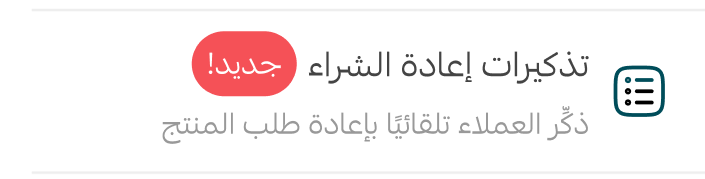
1. In the main dashboard menu, click Marketing.

2. From the menu, click Repurchase reminders.
Reading the reminders list and its statistics
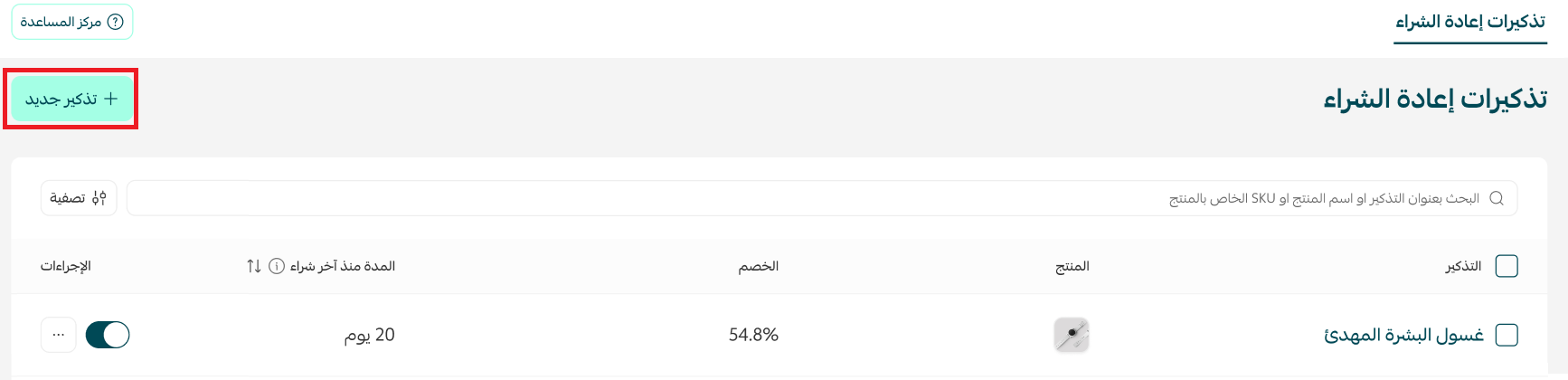
The page lists every reminder you've created: its name, the linked product, the discount attached to the message, the interval since last purchase that triggers the send, an on/off toggle, and an actions menu. One glance tells you which reminders are live and which are paused.
Clicking the statistics button reveals per-reminder performance:
- Total sales: the value of orders completed after customers engaged with this reminder.
- Reminders sent: how many messages the system actually delivered.
- Customer engagement: how many recipients clicked through to checkout.
The number that matters isn't "how many were sent" but engagement divided by sends. High sends with weak engagement means your timing or copy is off; strong engagement with weak sales points at the product page, price, or shipping cost.
To see which product a reminder is tied to, hover over its thumbnail in the product column.
Creating a new reminder
1. On the repurchase reminders page, click + New reminder at the top.
2. Fill in the details, then click Publish reminder. What you set here decides whether the campaign works:
- Reminder name: make it descriptive, like "Specialty coffee — 25 days", so you can find it among dozens later.
- Target product: the consumable or repeat-purchase item to re-offer.
- Interval since last purchase: days the system waits after the recorded purchase date.
- Audience: specific countries, or groups such as new versus repeat buyers.
- Incentive: a percentage discount, fixed amount, free shipping, or no discount.
- Delivery channel: an in-app notification or personal email, plus Mahally for eligible stores.
First, the store itself must be listed on Mahally; second, so must the specific product. The customer then receives the reminder over Mahally's WhatsApp channel and can pay inside the conversation without switching to a browser.
Booking products are excluded by design, and durable goods like appliances don't suit a recurring nudge. Reminding someone to rebuy what they'll never need again is the fastest way to lose their trust.
Enabling, disabling, editing and deleting
Every reminder has a direct toggle: flip it to activate or pause instantly without opening its settings. That's useful during peak seasons, when you may want to pause discounted reminders through a major sale so offers don't stack on each other.
From the Actions menu beside each reminder you can edit any setting or delete it permanently. Edits apply only to future sends, so you can test a different interval or discount rate without rebuilding from scratch.
Search and filtering
As a store grows, reminders can reach the hundreds. For a quick lookup use the search field above the table — it accepts a reminder name, product name, or SKU.

For a deeper search, click the Filter button next to the search field.

A side panel opens: pick the criteria you need, then click Show results.
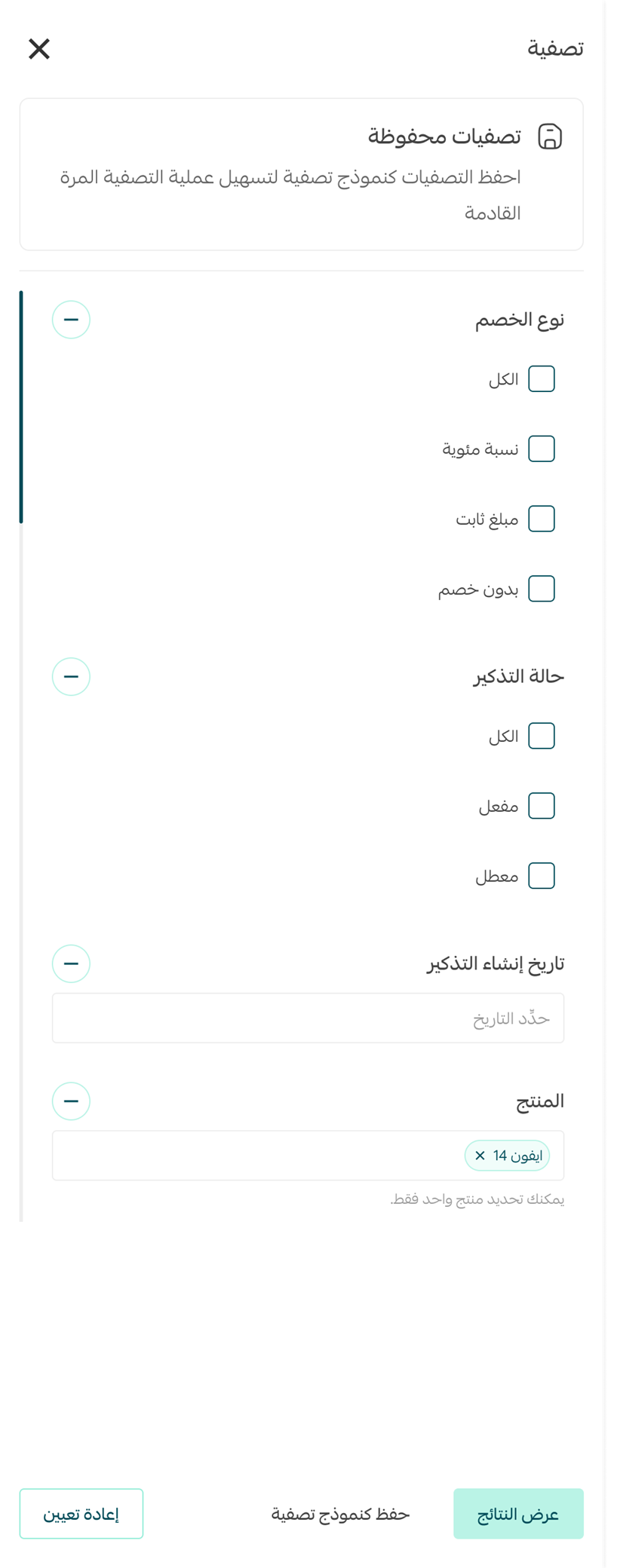
- Discount type: percentage, fixed amount, or no discount.
- Reminder status: enabled or disabled.
- Creation date: to review what you added in a given period.
- Product: one product per filtering pass.
Once your criteria are set, click "Save as filter template" to recall them in one click. The most useful one in practice is "disabled with a discount" — it surfaces reminders you paused for a season and forgot to switch back on.
Acting on multiple reminders
Select more than one reminder — or all of them via "Select all reminders" — and a bulk action bar appears above the table, letting you change the status of everything selected or delete it in one pass.
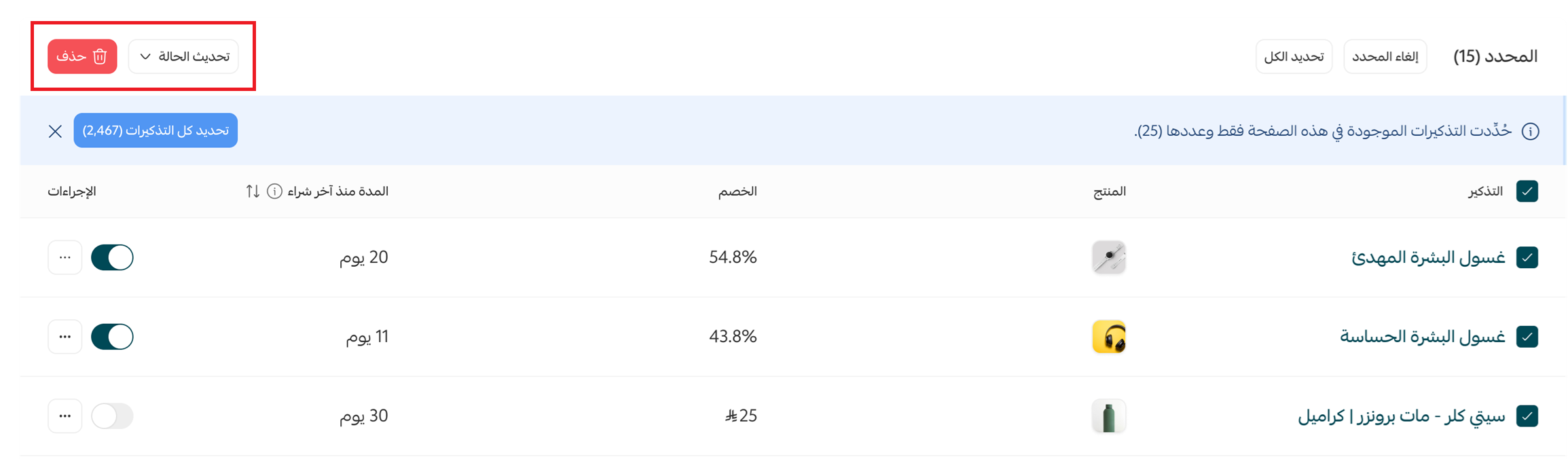
Changing the status means enabling or disabling the selected reminders.
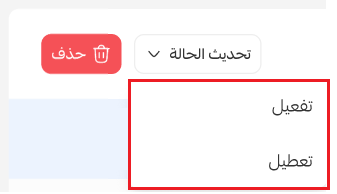
Disabling stops the sends but keeps settings and statistics; deleting wipes the reminder and its history. For seasonal cleanups reach for "Update status", not the delete button.
Choosing the right interval for each product
This is the most important field in the whole setup, and in most stores it gets filled in by guesswork. The formula: package size ÷ daily consumption rate, then subtract three to five days. The subtraction is deliberate — the message must arrive before the product runs out, with runway for shipping, not after.
- Specialty coffee (250 g bag): 20 to 25 days for a two-cups-a-day drinker.
- Supplements (60-capsule bottle): 25 to 28 days on a twice-daily dose.
- Skincare: 45 to 60 days depending on container size.
- Pet supplies: tie the interval to bag weight and animal size.
- Household cleaning: 30 to 45 days, allowing for bulk buying.
Then correct that estimate with your own data: export your orders and calculate the average gap between the first and second purchase of the same product among customers who reordered unprompted. That average is your audience's real consumption cycle, and it often sits far from the textbook figure. Set the reminder a few days ahead of it and you'll see the difference within one cycle.
The default is convenient but wastes half the feature's value. Create a separate reminder for every product with a different consumption cycle — one that lands on the right day is worth several that land a week late.
Turning reminders into recurring revenue
Configuring the feature is a half-hour technical task; turning it into a steady revenue channel takes marketing decisions. These are the rules we apply in our clients' stores:
- Start with no discount: run the first cycle as a plain nudge. Plenty of customers buy on the reminder alone, and discounting from message one gives away margin you'd have kept in full.
- Save discounts for the hesitant: reserve the discounted reminder for price-competitive products, or customers who skipped two cycles.
- Segment by behaviour, not just product: a five-time buyer doesn't need a first-time buyer's message — use audience targeting to change tone and incentive.
- Sometimes remind about the complement: after a coffee machine, nudge them about beans or filters — the quickest way to lift average order value from the same base.
- Test the copy: change one line per cycle and measure it. The gap between "don't forget to reorder" and "reorder before you run out" can double clicks.
- Watch total frequency: a customer receiving three emails a week from you stops reading all of them. Space reminders out and keep them from colliding with general campaigns.
The mistake we see most often is treating reminders as a substitute for growth. They squeeze maximum value out of existing customers, but they don't add new ones. A store that genuinely grows works both sides: a base that keeps widening through steady search traffic, and retention tools that multiply the value of everyone who enters it. At SEOS7 we analyze, optimize, maximize — we bring qualified traffic to your product pages, then work on the purchase path and the repeat order until growth becomes stable revenue. Browse the case studies, or explore our Salla store SEO service.
FAQ
Can a repurchase reminder discount be combined with other discounts?
No, a customer can use only one discount. A discount attached to a repurchase reminder applies automatically, and no other coupon can be added on top of it in the same order.
Which products can I enable reminders for?
Any consumable or repeat-purchase item: coffee, supplements, pet supplies, cosmetics, or anything you pick manually. Booking products are excluded, since their nature doesn't support repurchasing through the same mechanism.
What happens if the product has options such as size or colour?
It's added to the cart with the exact options the customer chose on their last purchase, which saves them time and makes reordering a one-click experience.
How does the reminder reach the customer?
Through an in-app notification or a personal email containing a "Reorder" link that opens checkout with the product already in the cart, plus Mahally for eligible stores.
Are reminders sent for products inside a bundle?
A repurchase reminder is sent for a product bought individually. If it was part of a bundle, the reminder goes out for the bundle as a whole rather than the single item.
Your existing customers are revenue you haven't fully tapped, and search traffic is what widens that base in the first place. Request a free SEO audit for your Salla store — results within 48 hours, no strings attached.