
The fastest way a shopper discovers a store they have never heard of is rarely a paid ad. It is someone they already trust using the product in front of them. That is the real asset in influencer marketing — you are not buying views, you are borrowing trust that took years to build and pointing it at your product page. And the gap between a campaign that burns your budget and one that returns three times its cost has almost nothing to do with follower count. It comes down to how precisely you choose, how clearly you brief, and how honestly you measure.
Salla ships a built-in tool that compresses that entire process into your dashboard: browse vetted influencers by niche, audience size and budget; order a service and pay through the platform's escrow; track the campaign and review the published links; then rate the influencer so the next merchant benefits from your experience. This guide walks every screen, then adds the layer product documentation never covers — how to price a campaign, how to wire it into your store so the traffic does not evaporate, and the mistakes that leave merchants paying for beautiful content that sells nothing.
An influencer delivers the visit; what converts it into an order is everything you prepared beforehand. Read the discount coupon guide to build a unique code per influencer that measures performance without guesswork, and the store blog guide to turn campaign buzz into pages that keep earning traffic long after the post is gone.
- What Salla's influencer marketing tool actually is
- Browsing influencers and shortlisting the right ones
- Reading an influencer profile before you order
- Creating a campaign, step by step
- Managing the campaign and briefing the influencer
- Reviewing delivery: confirm or reject
- Rating the influencer after the campaign
- An influencer strategy that actually pays
- Frequently asked questions
What Salla's influencer marketing tool actually is
It is an internal marketplace connecting Salla merchants with vetted creators, and it manages the whole relationship from first shortlist to final rating. Instead of hunting for an Instagram handle, sliding into a DM, haggling over a price and wiring money on the hope that the other party delivers, every step happens inside your dashboard with a documented trail and a clear order status.
- Published services and prices: each influencer lists what they offer and what it costs, so negotiation rounds end before they begin.
- Protected payment: the amount stays with the platform until you confirm delivery, so you are not paying a stranger in advance.
- One conversation thread: files, instructions and revisions live in a single place rather than scattered across DMs and email.
- Real merchant reviews: you can see how the same creator performed for merchants before you, before spending a riyal.
- Explicit order statuses: from under review to publishing to delivered, you always know which stage you are in without chasing anyone.
Browsing influencers and shortlisting the right ones
1. From the dashboard's main menu, open Marketing, then select Influencers.
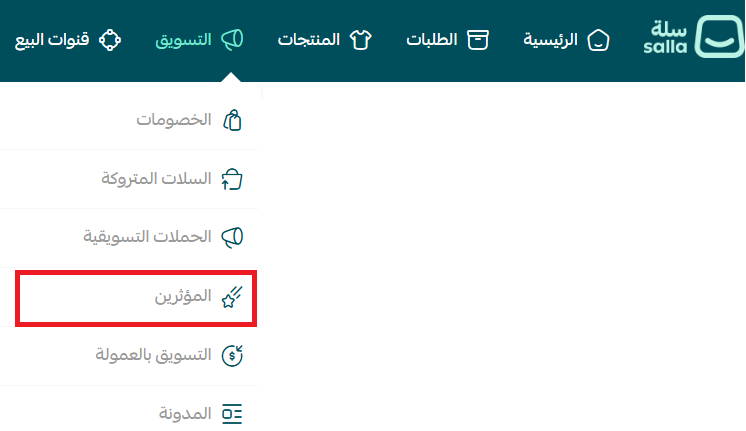
2. You land on the influencer marketing page. From here you track every current and past campaign, open any of them for detail, and browse the pool of creators available to work with.
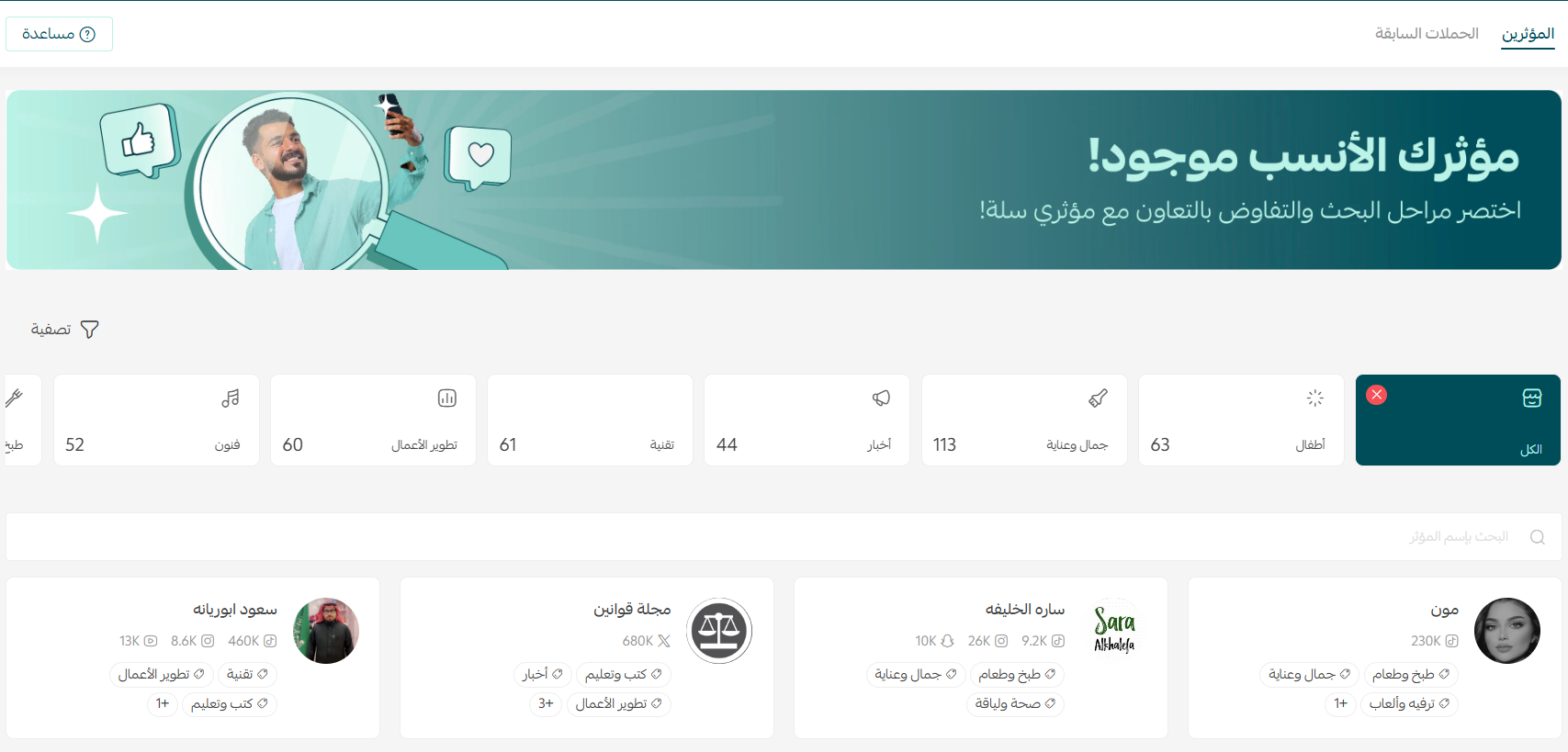
3. There are two routes to the right creator. The first is picking a category — click any available niche and you get the list of influencers working in it, from kids and beauty to food and tech.

4. The second is direct search by name, which is the fastest path when you have already seen someone's content and simply want to check whether they are on the platform.

5. Use filters when you are building a shortlist rather than chasing one name. You can filter by niche, follower count and available budget, which turns an aimless scroll into a comparable set of three or four candidates.
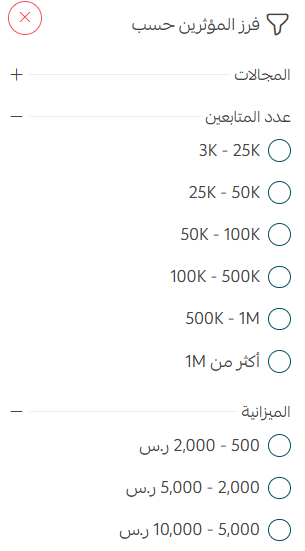
Decide first how much you could lose entirely without hurting the business, then filter under that ceiling. Merchants who start from follower count always end up looking at someone above their budget, then squeeze the price and receive a thinner service than they needed.
Reading an influencer profile before you order
Click any influencer card to open their full profile. These are the most valuable five minutes of the whole campaign, because almost every expensive mistake later traces back to a decision rushed here. The profile has four sections.
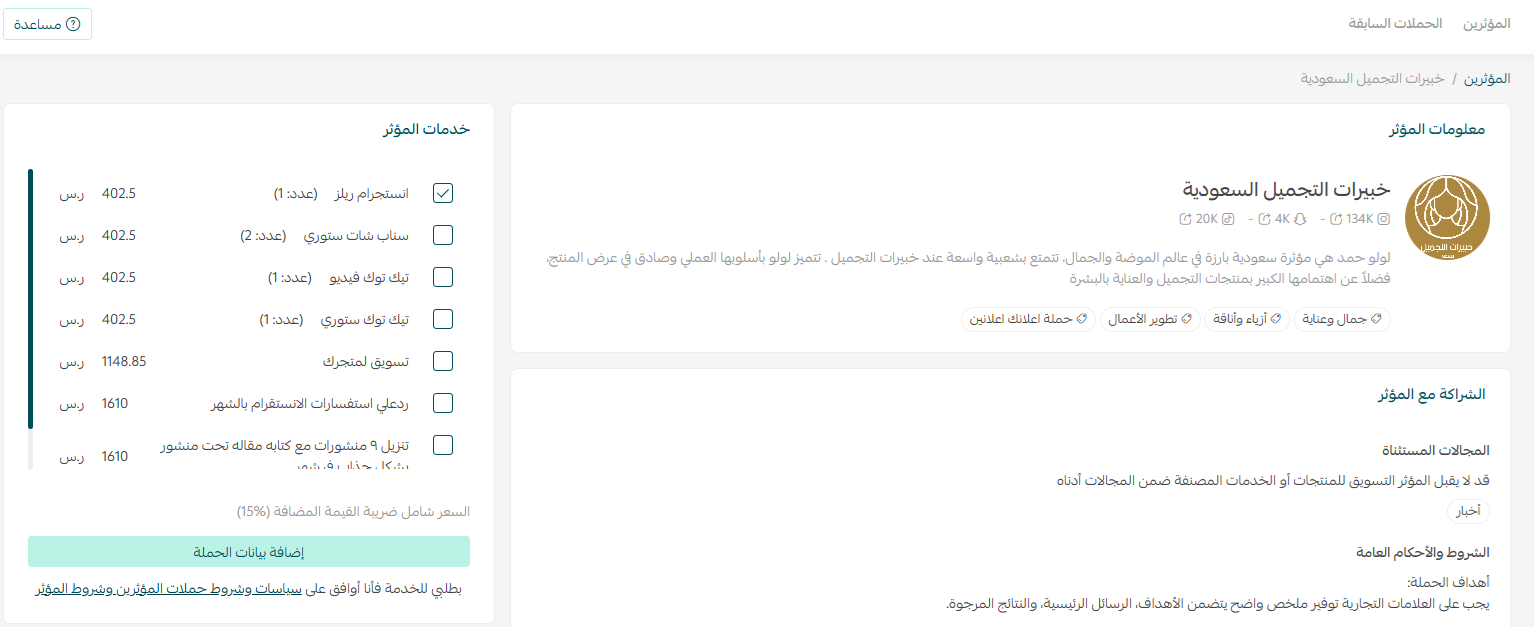
- Influencer information: the niches they cover, the platforms they publish on and their audience size. Check that their niche genuinely overlaps your product rather than merely sitting near it.
- Partnership details: how the collaboration works and what the creator commits to — your reference point if anything is disputed later.
- Reviews: feedback from merchants who worked with them on quality, communication and deadlines. Read the written comments, not just the star average.
- Services and pricing: the available formats — a story, a video, a static post — each with its own price.
Engagement rate matters more than reach. An account with 100,000 passive followers routinely sells less than one with 20,000 followers who comment, ask and buy. And if the audience sits outside your shipping zone, the campaign is pure cost no matter how good the content looks.
Creating a campaign, step by step
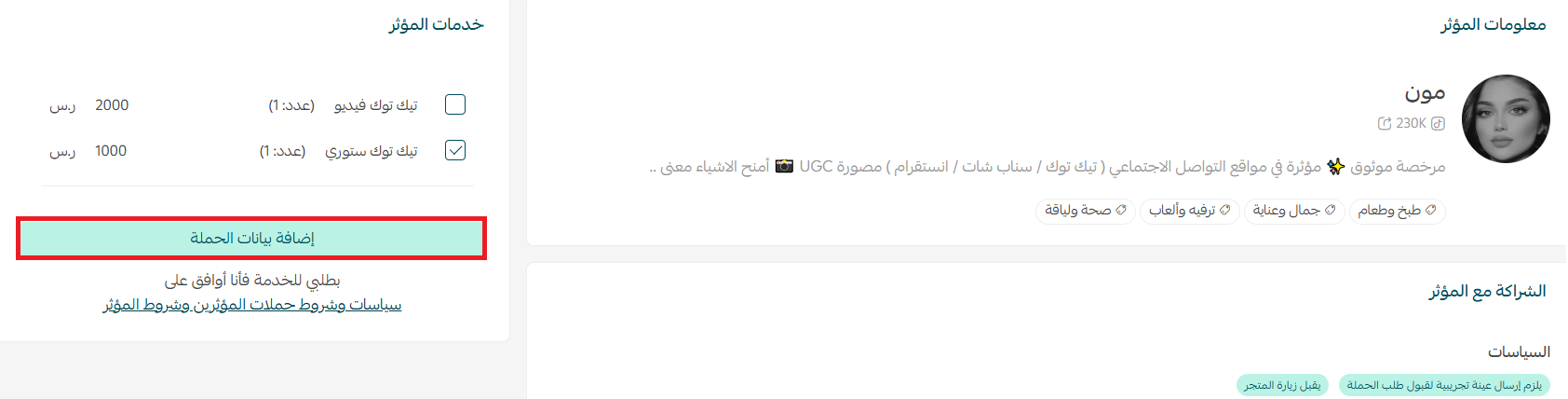
1. On the profile of the creator you picked, scroll to Influencer Services, select the service or services you want, then click Add campaign details.
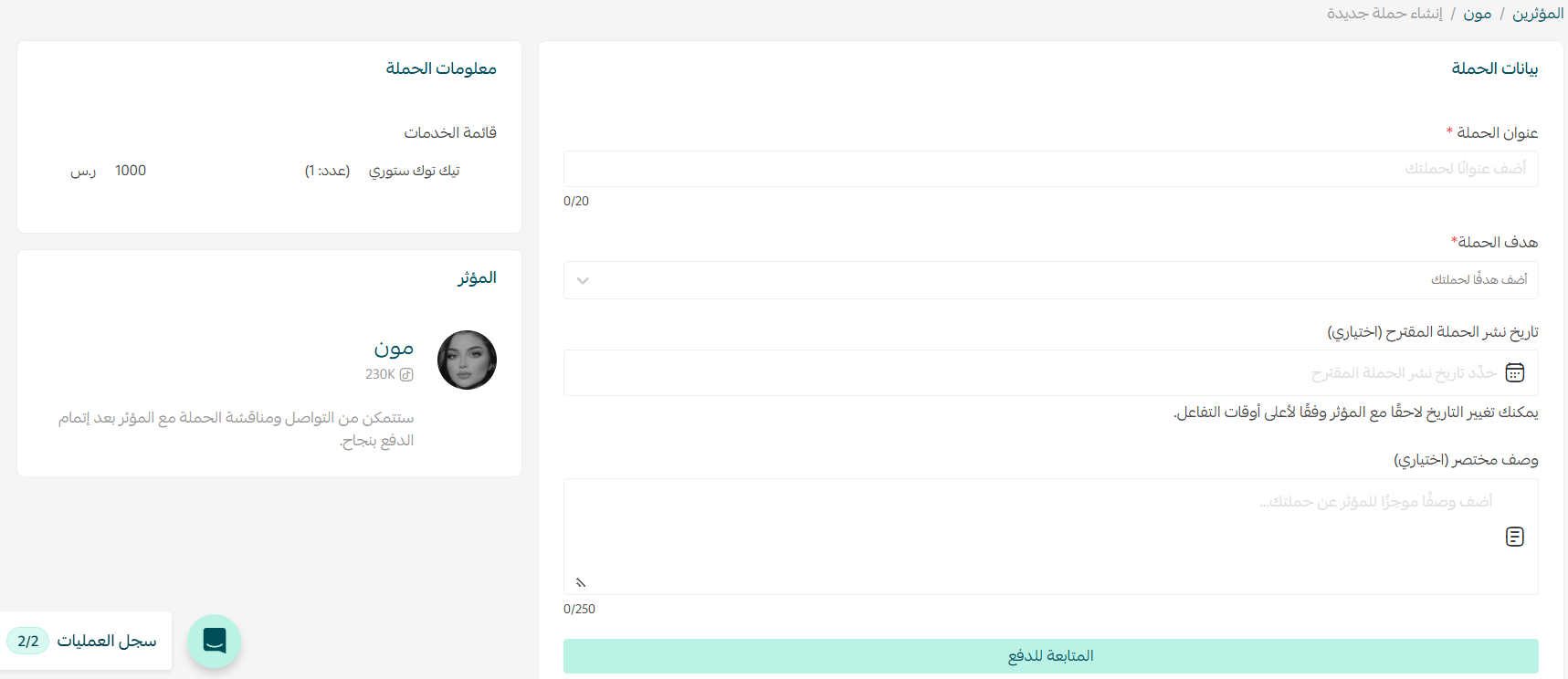
2. Fill in the campaign details: a title, a proposed publish date, and a short description of exactly what you want. Treat that description as the real contract. Do not write something generic like "an ad for the store" — name the product, the core message, and the one thought the viewer should have after watching.
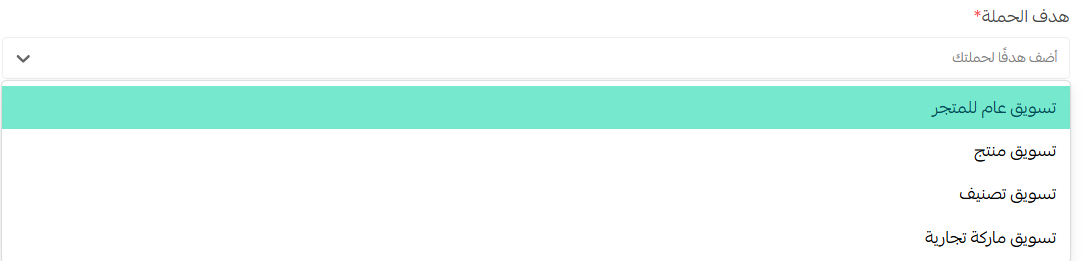
3. Select the campaign objective from the list. This is not a formality — the objective drives the tone of the content and, more importantly, how you will judge success. An awareness campaign for a new brand is measured in reach, saves and follows; a direct-response campaign is measured in orders and nothing else.
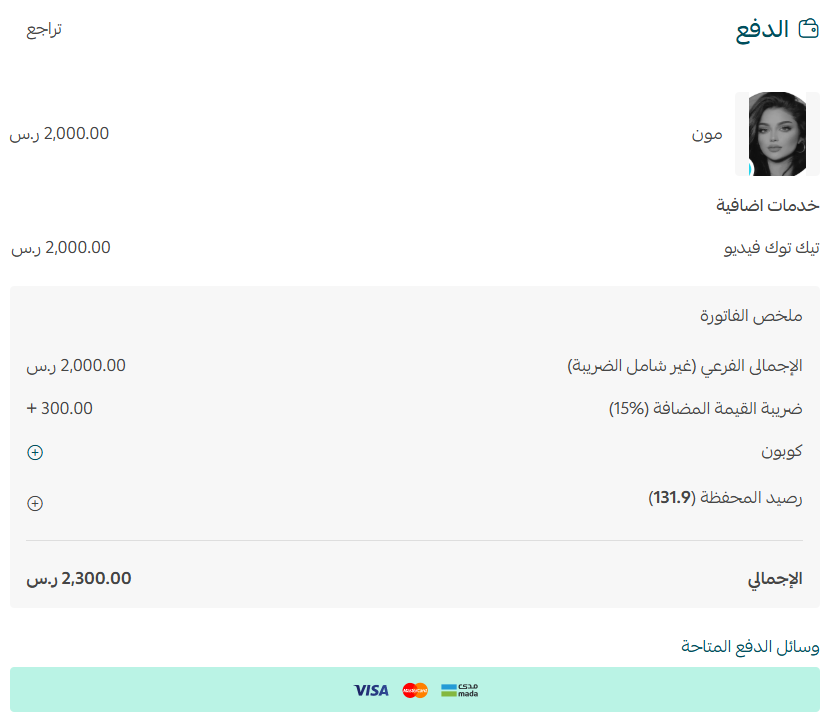
4. Complete the payment details and click Confirm payment. Once submitted, the order page shows the current status and every update also reaches you by email.
5. When the influencer accepts, the order status changes to Publishing on the influencer marketing page. From that moment the responsibility shifts back to you: get the store ready for the traffic that is about to arrive.
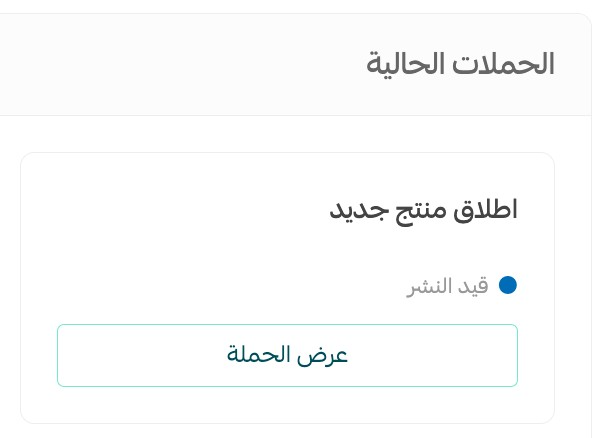
The worst possible spend is paying a creator to send thousands of visitors to a product page with missing photos, a slow mobile load, or zero stock. Audit the destination page at least two days before the publish date: stock availability, price clarity, mobile speed, and a payment method that completes without errors.
Managing the campaign and briefing the influencer
Campaigns are won in the days before publication, not after. Inside the order page there is a conversation log where you can send questions and notes and attach files: high-resolution product images, your logo, the points that must be mentioned, and any wording that is off-limits.
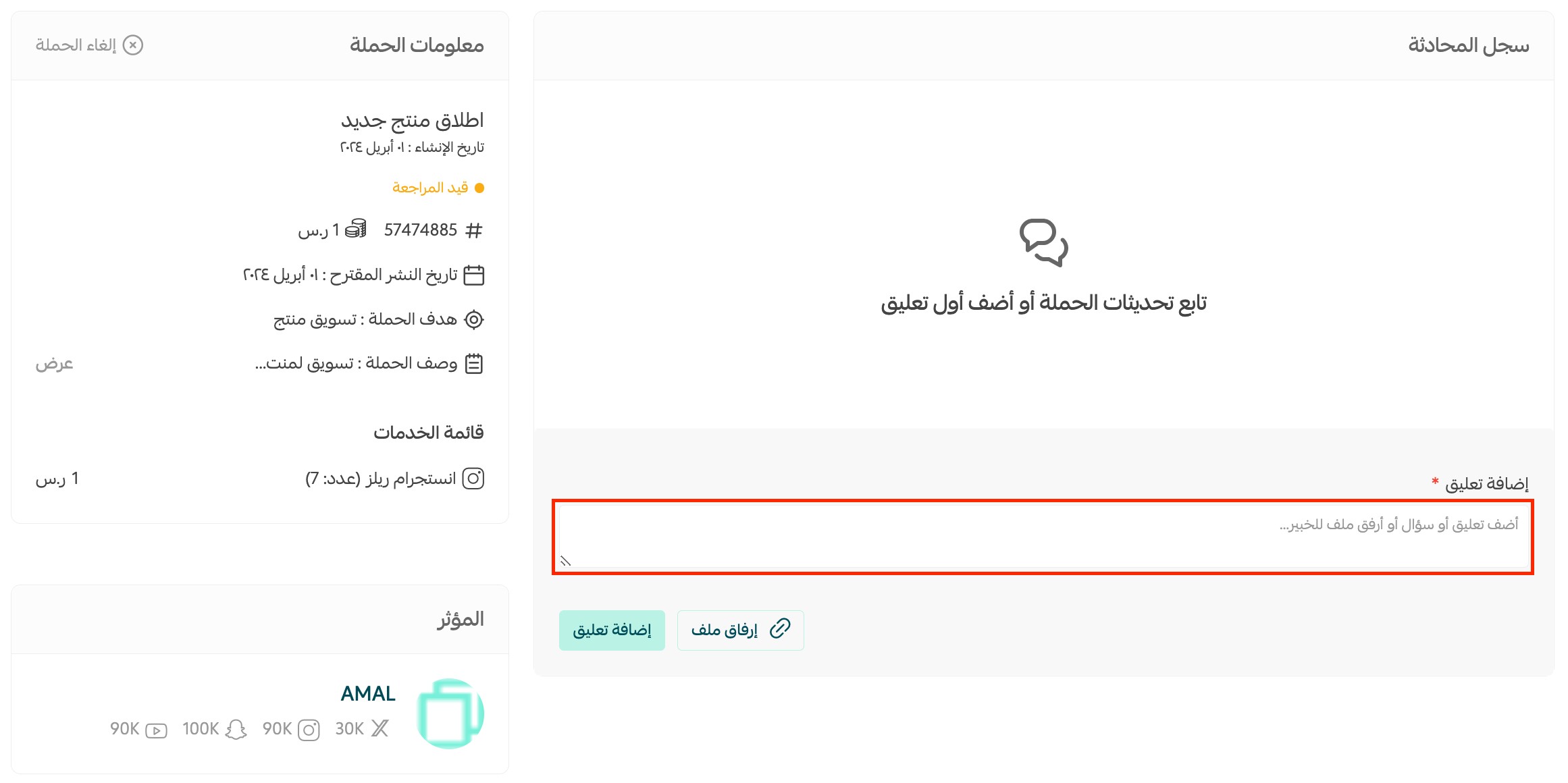
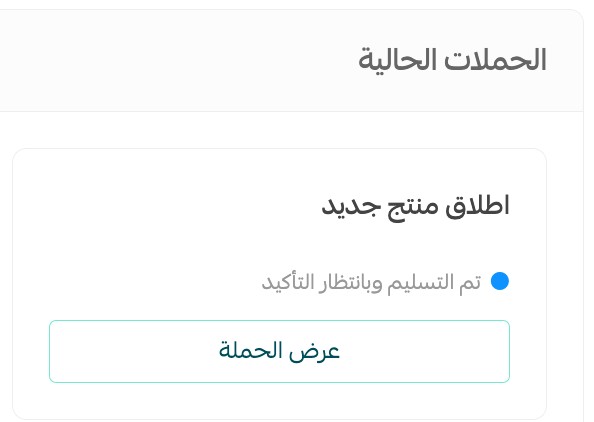
Once the influencer completes the work and submits the content, the campaign moves to Delivered, awaiting confirmation. The ball is now in your court and you have exactly one decision to make: confirm delivery or reject it.
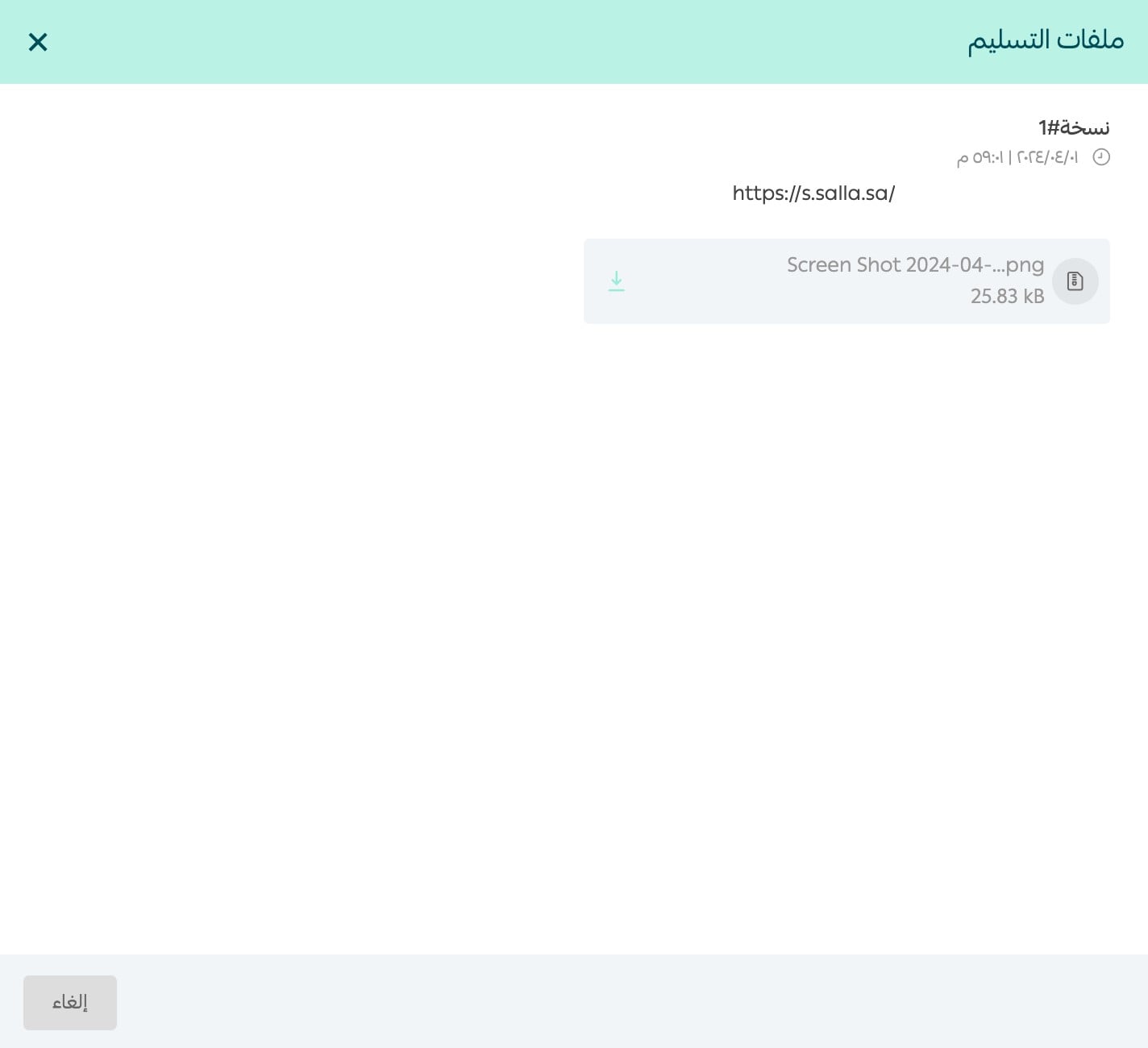
From the campaign page, click Review published links to open what the creator submitted.
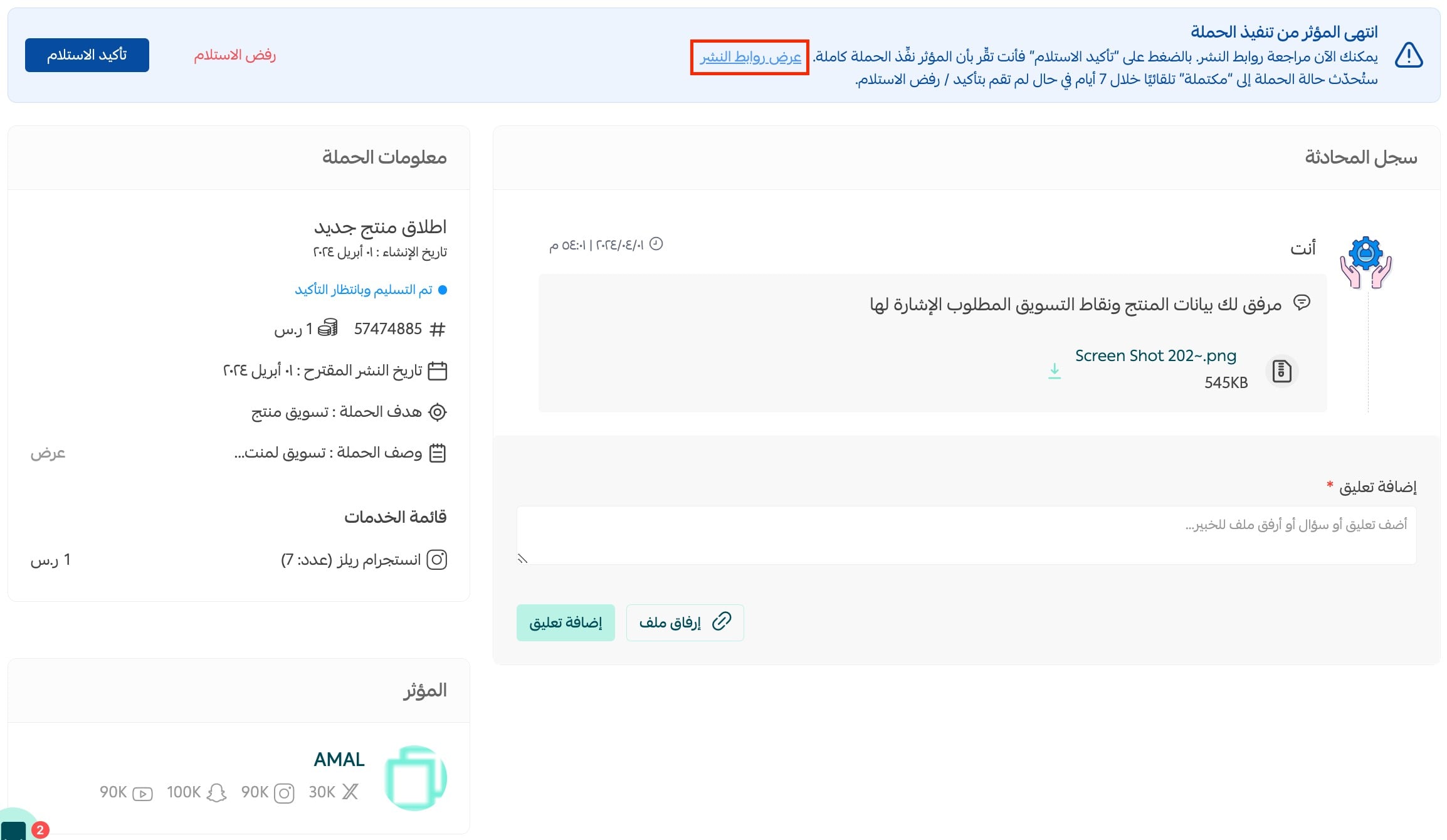
Check the delivery files and their links one by one. Was the content actually published on the agreed platform? Is it still live, or was it quietly removed after a few hours? Is the store name and link clearly visible? Was the brand name pronounced correctly?
Reviewing delivery: confirm or reject
Once you have verified that the campaign was executed as agreed, click Delivered and then Confirm delivery. The platform notifies you that the campaign was published successfully and releases the influencer's payment.

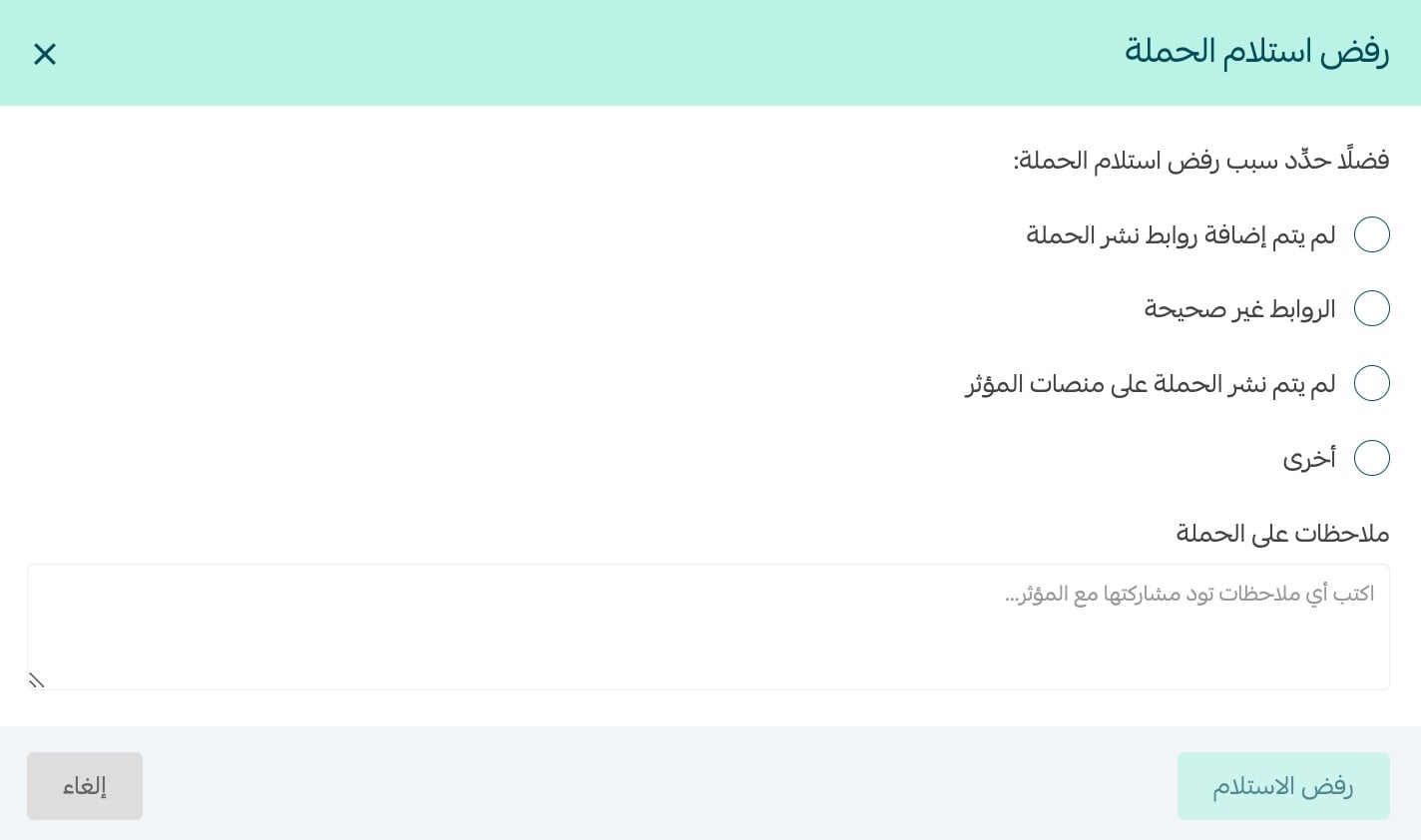
If the delivery does not match what you agreed on, and the campaign is still in Delivered, awaiting confirmation, click Reject delivery.

Select the rejection reasons, write your notes clearly, then click Reject delivery. Your notes are sent to the influencer and the order returns to Publishing so the work can be redone.
Confirming delivery is a formal statement that you accept the output at the required quality. After that you cannot dispute it and you cannot recover the amount. Review every link yourself before you click, and never delegate this step to someone who has not read the brief you wrote.
Rating the influencer after the campaign
Ratings let you assess the service you received, so the creator learns how they performed and other merchants benefit from your experience. The rating button appears once the campaign is complete, and it covers four criteria whose outcome is reflected as a distinguishing badge on the influencer's card.
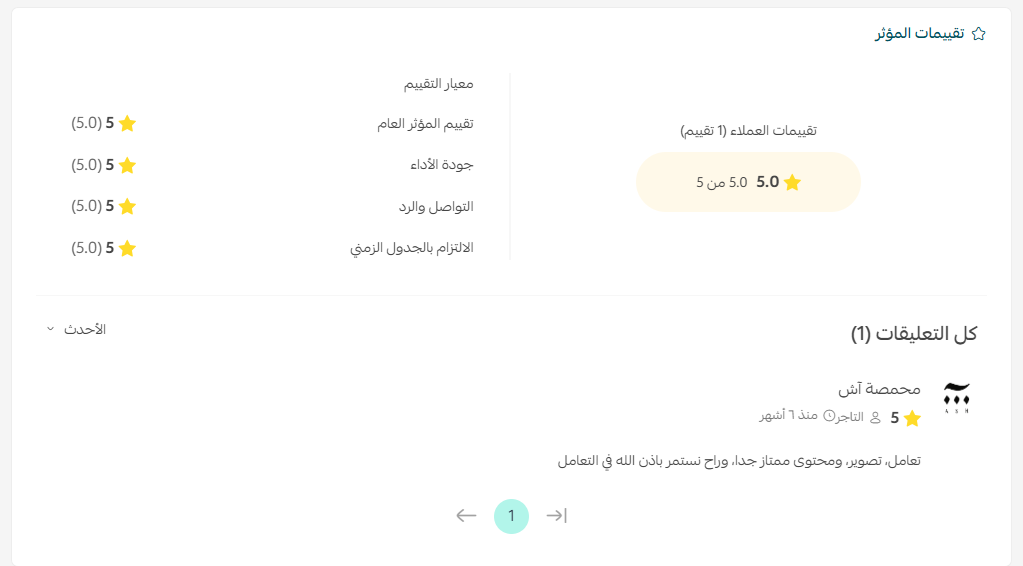
- Overall service: your general impression of the experience end to end.
- Work quality: the content itself — production, script and execution.
- Communication and responsiveness: how fast and how clearly they replied during the briefing phase.
- Meeting the deadline: whether the content went live on the agreed date or slipped.
1. After the campaign completes, open the order page in your dashboard and click Rate influencer.

2. Score each criterion from 1 to 5 stars and add your comment. There are two comment types: a public one other merchants can read, and a private one only the influencer sees. Use the public field for the objective verdict and the private field for detailed feedback that would not help anyone else.
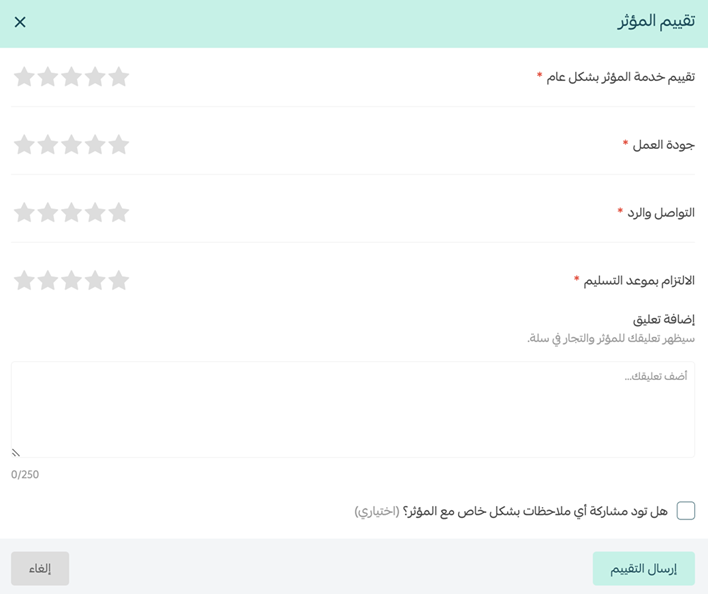
3. Click Submit rating. Salla emails you a prompt 3 days after the campaign completes, and a follow-up reminder after 7 days if you have not rated yet.
Creators can view merchant ratings and comments, the average score and number of ratings per criterion, reply to public comments and edit their reply, and read the private notes sent to them. Rate fairly — the entire system loses its value the moment it fills up with emotional scores.
An influencer strategy that actually pays
The tool handles the mechanics. The part that decides whether the money comes back is still yours. These are the rules we apply with our clients' stores before any influencer campaign goes live.
- Issue a unique code per influencer: a coupon in their name with a modest discount gives you an undisputable count of the orders they produced, and makes them promote harder because their audience gains something real.
- Build a landing page for the campaign: a page collecting the products they will talk about, instead of dumping the visitor on a homepage with a hundred SKUs. That page also survives the campaign and keeps capturing search engine traffic afterwards.
- Spread the budget instead of concentrating it: three small campaigns with mid-tier creators teach you far more than one large one, because you can compare and learn which audience actually converts before you scale spend.
- Measure per order, not per view: divide the campaign cost by the orders it produced and compare that number to your paid-ads cost per acquisition. That single calculation decides whether you repeat.
- Negotiate reuse rights up front: the video you paid for can also run as a paid ad, sit on the product page and appear as a testimonial in your blog. State that in the brief from the start.
- Watch the following week, not the same day: a large share of influencer impact shows up late, when the viewer searches your brand name days after seeing the post. Track orders for seven days after publication, not twenty-four hours.
The most expensive mistakes: a vague brief that leaves the creator guessing at your intent; picking the biggest account instead of the closest one to your buyer; launching before stock is ready so the item sells out in the first hour; judging the entire channel on a single campaign; and the most damaging of all — treating influencers as a substitute for a permanent presence in search results. A campaign is a wave that rises and settles. Your store appearing when someone searches for your product by name is income that compounds daily.
That is exactly where we come in. At SEOS7 we analyze, optimize, maximize: we work on improving how your store ranks so it captures the demand the influencer created instead of handing it to a competitor, and we help you build a strong online reputation that makes every future campaign cheaper and faster to pay off. Explore Salla store SEO, or review our case studies for the before-and-after numbers.
Frequently asked questions
Can I dispute a campaign after confirming delivery?
No. Confirming delivery is your formal acceptance that the output arrived at the required quality, so no dispute or refund is possible afterwards. That is precisely why you should review every published link and delivery file carefully before pressing the confirm button, and why the review should be done by whoever wrote the brief.
What happens if I disagree with the influencer about the deliverables?
Prevention matters more than remedy here: choose a creator suited to the campaign type and objective, and spell out your requirements in the campaign description and the conversation log before publication. If a disagreement does arise while the campaign is still awaiting confirmation, you can reject the delivery and specify the reasons. For help resolving a dispute, contact Salla's partners team through their dedicated support address.
If the campaign brings no results, do I get my money back?
Two situations must be separated. If the ad quality falls short of what was agreed, you can reject delivery and the influencer is obliged to redo and republish the content. If the quality matches what was agreed but the campaign simply did not generate the sales you hoped for, no amount is refunded, because the creator delivered the contracted service and does not guarantee sales outcomes.
If the influencer withdraws from the order, is the amount returned?
Yes. If the creator withdraws or does not accept the order, the amount is returned to your store wallet within 24 hours, and you can spend it on a new campaign with a different influencer without any additional steps on your side.
When can I rate an influencer, and can they respond to my rating?
The rating button appears once the campaign is complete, and you receive an email prompt 3 days after completion plus a reminder after 7 days. You score four criteria from 1 to 5 stars, with a public comment other merchants can read and a private comment only the influencer sees. And yes, creators can reply to public comments and edit their reply, and they can read the private notes addressed to them.
Ran a campaign and noticed the traffic spikes then disappears? The SEOS7 team builds your Salla store a traffic source that does not stop when the campaign does. Request a free SEO audit for your store and you will have the results within 48 hours, with no obligation.