
A random discount eats your margin. A well-designed offer lifts revenue and average order value at once. The difference is one word: the condition. A discount gives the customer a benefit for nothing; an offer trades it for behaviour you want — an extra unit, a higher-value cart, a repeat purchase.
The Special Offers page in Salla gives you six offer types, each with precise targeting by platform, customer group, country and market. This guide creates a new offer step by step, then explains when to use each type and how to model its effect on profit before you switch it on.
The offer closes the decision, but you need an interested visitor before it and a cart that isn't abandoned after. Read the discount coupon guide for how coupons differ, and the abandoned carts guide to recover orders that stall before payment.
- Creating a new offer and its basic details
- Offer conditions and targeting
- Type 1: buy one product, get another
- Type 2: fixed amount off the cart
- Type 3: percentage off the cart
- Type 4: fixed bundle price
- Type 5: quantity discount table
- Type 6: customer tier offers
- Offer message text and preview
- Which type to pick for which goal
- The offer strategy that actually grows profit
- FAQ
Creating a new offer and its basic details
1. Open Marketing Tools then Special Offers, and click + Create new offer.

2. Enter the offer name (for example "Ramadan Offers"), a start date and an end date.
3. Choose the offer type applied to the cart — the six types covered below.
A name like "White Friday - Skincare" keeps your reports readable three months later. And the end date creates urgency: an offer with no expiry becomes the expected price.
Offer conditions and targeting
Conditions are the criteria a customer must meet to qualify: who sees the offer and where it applies. This step turns a blanket discount into a targeted marketing tool.
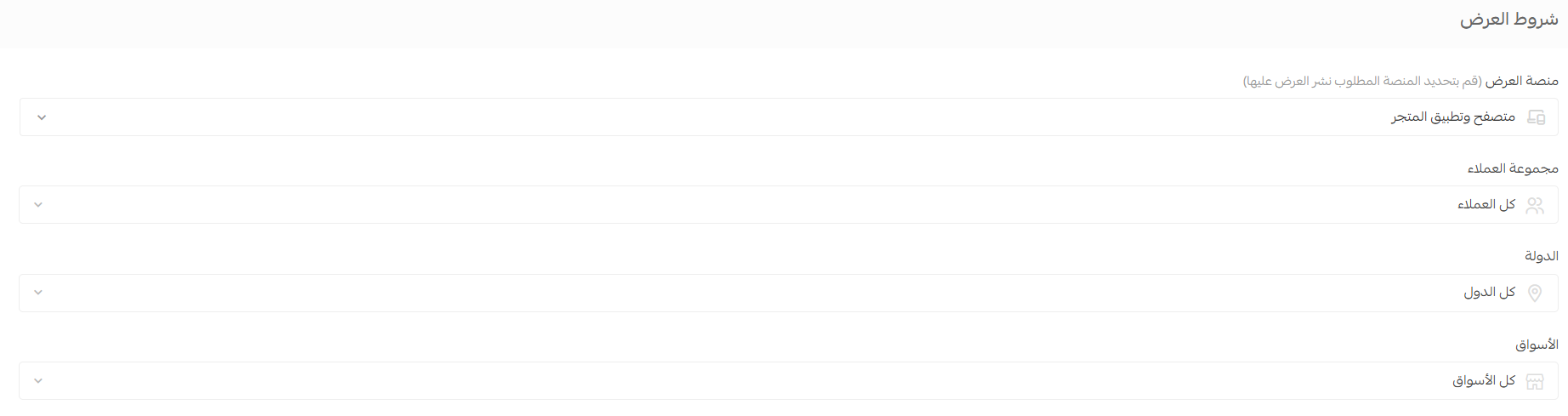
- Offer platform: store browser, store app, or both.
- Customer group: a specific segment instead of blasting everyone.
- Country and markets: restrict the offer to a country or market that serves your expansion plan.
- How the country is determined: by mobile number or address data.
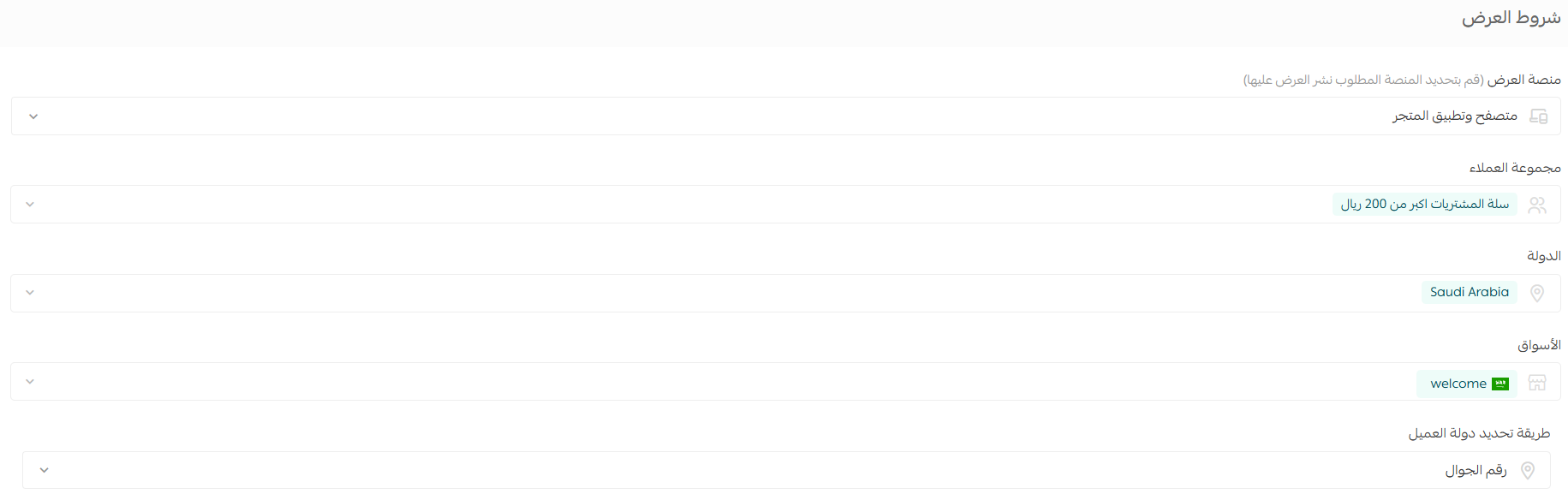
The market selector needs multi-market enabled; otherwise the offer applies storewide. Customer groups need the Pro or Special plan.
Example: an offer for customers whose purchases exceed 200 SAR, limited to Saudi Arabia — targeting that stops you gifting a discount to people about to pay full price.
Type 1: buy one product, get another
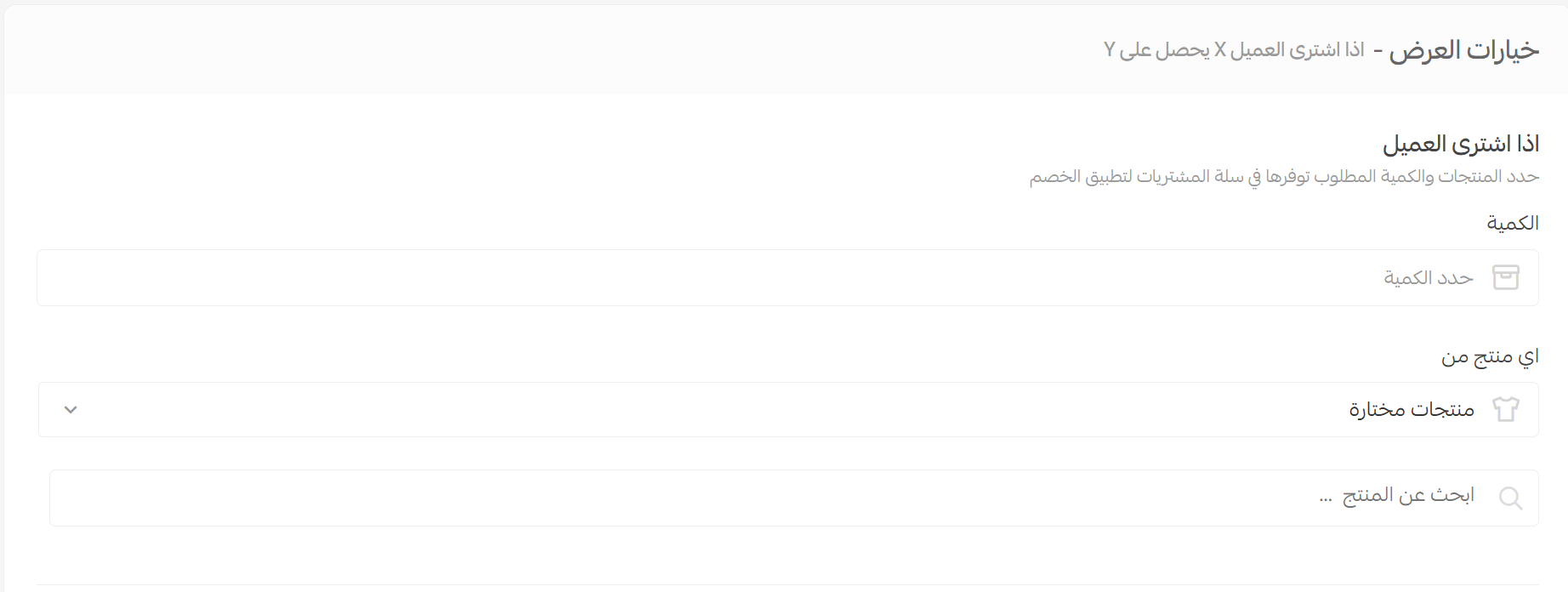
The classic buy X get Y offer: set a purchase requirement, grant a product or a discount in return.
1. Define what the customer must buy: the quantity, then the products or categories that count towards it.
2. Define what they receive: quantity, eligible products, and the discount type and value.
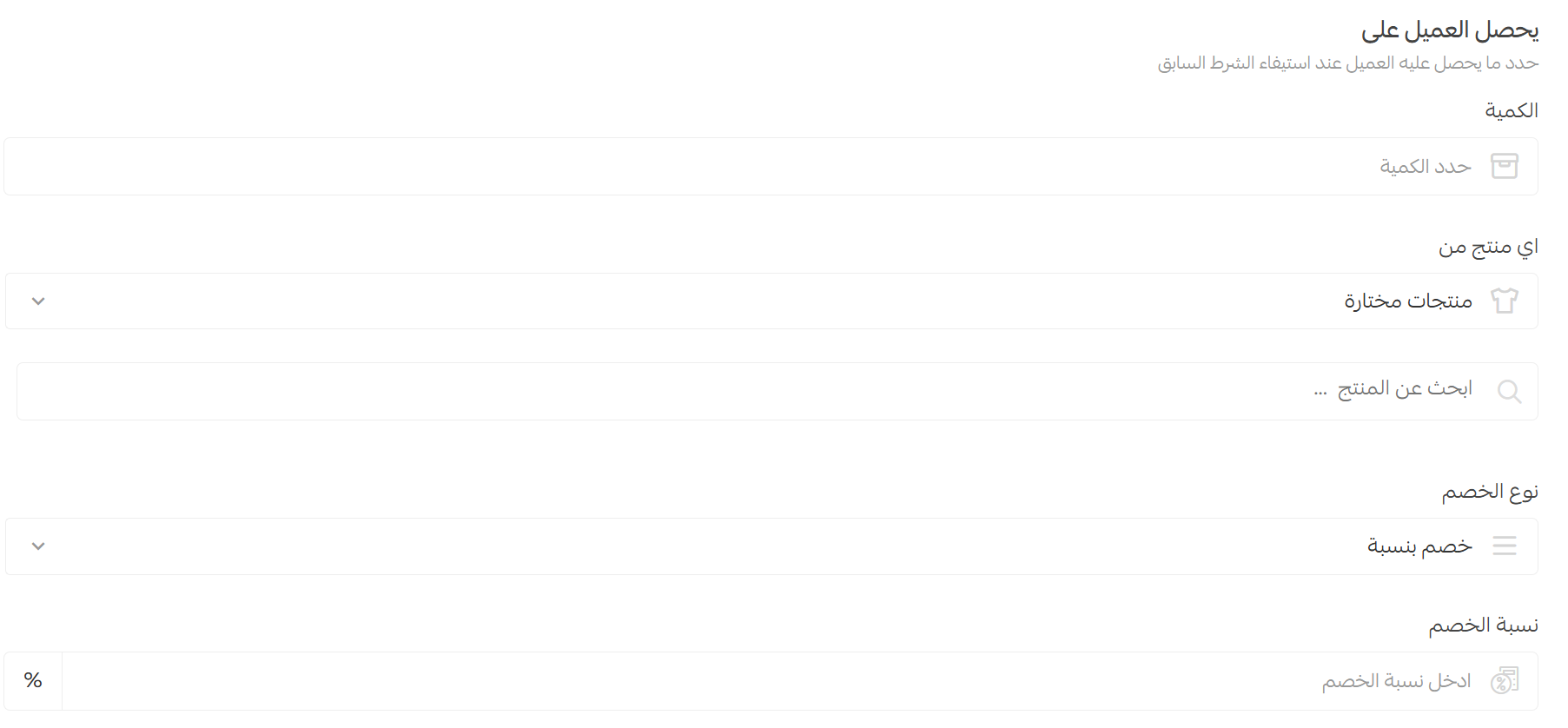
3. Enable Apply offer with discount coupon if the offer should run even when a coupon is present — the customer can then stack both discounts.

4. Review the offer summary before saving to confirm the condition and reward read as intended.

Example: buy two units, get a third at 100% off — ideal for clearing slow stock by attaching it to a fast seller.
Type 2: fixed amount off the cart
Takes a set amount off once the cart reaches a minimum — the easiest type to understand and to cost.
1. Enter the discount amount. 2. Choose the condition it applies under:
- All products in the cart once the minimum is reached.
- Selected products or categories the amount is deducted from.
- Selected payment methods such as bank transfer or cash on delivery.
- Selected brands from the brand list in your store.
3. Set the minimum purchase amount or quantity, then decide on coupon stacking.
Up to 50 categories (main or sub) or 50 products per offer — enough for a full seasonal campaign in one offer.
Example: 50 SAR off orders above 400 SAR, or 5 SAR off products from a brand you want to push.
Type 3: percentage off the cart
Same as the previous type but as a percentage, with one extra step that protects your margin.
1. Enter the discount percentage. 2. Enter the maximum discount — the ceiling one customer can claim however large their cart. 3. Pick the condition from the same list, set the minimum amount or quantity, then decide on coupon stacking.
A 50% discount with no cap means a 5,000 SAR order costs you 2,500 SAR. A balanced setup: 50% off on a minimum spend of 500 SAR, capped at 100 SAR of discount.
Type 4: fixed bundle price
You sell a bundle at one price regardless of list prices — the strongest type for raising units per order.
1. Set the required quantity, then the bundle price. 2. Choose the condition: all products, or selected products, categories or brands, then decide on coupon support.
Example: any 3 items from selected categories for 399 SAR, whatever each costs alone. Here is how it appears in the storefront:

Type 5: quantity discount table
Escalating discounts on the same product by quantity: more units, deeper discount. Built for wholesale and repeat-consumption lines such as fragrance and personal care.
You create tiers — 5 units at 2%, 10 at 5%, 20 at 8% — and the table appears on the product card, so the customer sees what one more unit saves. Up to 10 tiers per offer.
Even when you select a whole category, each product must reach the quantity on its own. With a 2-unit rule across hair care, one musk mist plus one jasmine mist earns nothing, while one musk plus two jasmine earns the discount on the jasmine only.
Type 6: customer tier offers
This merges discounting with a loyalty programme: customers are sorted into tiers by lifetime purchases, and each tier carries a standing reward — which lifts repeat purchase rates.
Name the tiers as you like — Bronze, Silver, Gold — set the minimum lifetime spend for each, then choose a percentage or fixed-amount reward. Up to 4 tiers.
Reaching 1,000 SAR moves a customer into the Elite tier with 7% off every later order. Announce the upgrade — a reward only changes behaviour if the customer knows it exists.
Offer message text and preview
Every offer carries a message shown in the store, and it is half the value of the offer: nobody claims a deal they don't understand. You write it in your store's language and insert variables swapped automatically for the offer's data — discount type, quantity, value, percentage.

Available variables change with the offer type, and a live preview under the field lets you check the wording before saving.

"Save 120 SAR when you buy 3" beats "15% off on a 800 SAR minimum". Convert percentages into money, and say how far the customer is from qualifying.
Which type to pick for which goal
- Raise average order value: fixed amount or percentage, minimum above your current average.
- Raise units per order: fixed bundle price or quantity discount table.
- Clear slow stock: buy one get another, pairing the slow item with a fast seller.
- Push a brand or category: a fixed amount conditioned on it.
- Encourage a cheaper payment method: make it part of the condition.
- Increase repeat purchases: customer tiers, which reward the whole purchase history.
The offer strategy that actually grows profit
Most stores judge an offer by revenue, then find months later that profit fell. The rules we apply with clients:
- Set the minimum above your average order value: add 15% to 25% to the real average. A lower minimum just gifts a discount to people already spending that much.
- Don't discount bestsellers: make them the condition, not the reward, and attach what you need to move.
- Model coupon stacking first: it can double the discount on one order, so check the worst-case margin.
- Give every offer a hard end date: a permanent offer becomes the expected price, and full price then reads as a rise.
- Read the preview as a first-time visitor: a strong offer worded vaguely performs like none at all.
- Measure profit, not revenue: track orders, average order value and post-discount margin — the last number is the verdict.
- Change one variable at a time: moving threshold and discount together tells you nothing.
And here is the point most merchants miss: an offer does not create demand — it converts a visitor who is already there. A brilliant offer on a low-traffic store still produces weak sales. So we start upstream: getting product and category pages into search results, making the store fast, and building a strong online reputation so customers search for your name directly. Then offers multiply profit instead of masking a traffic problem.
At SEOS7 we analyze, optimize, maximize: we earn search traffic for your store, then turn it into orders. Explore Salla store SEO, or browse the case studies.
FAQ
What is the difference between a special offer and a discount coupon?
A coupon needs a code and suits influencer or targeted campaigns; a special offer applies automatically to anyone meeting its condition. Offers lift average order value, coupons attribute a campaign.
Can an offer and a coupon be combined on the same order?
Yes, when "Apply offer with discount coupon" is enabled inside the offer. Check the margin first, because the customer can take both discounts on one order.
How many products and categories can I attach to one offer?
Up to 50 categories, main or sub, or up to 50 products per offer — enough for a seasonal campaign in one place.
Why didn't the customer get the quantity table discount despite buying enough items?
Because the table is calculated per product, not per category. With a two-unit rule they must buy two of the same product; one each of two products does not qualify.
Is customer group targeting available on every plan?
Customer groups need the Pro or Special plan, and the market selector only appears with multi-market enabled. Otherwise the offer applies storewide.
Offers ready but not enough visitors to turn them into real numbers? SEOS7 works both ends: earning search traffic for your product and category pages, and improving the path to checkout. Request a free SEO audit for your Salla store — results within 48 hours, no strings attached.