
Winning a new customer costs several times more than convincing someone who already bought from you to come back. A loyalty program turns a single transaction into a repeat relationship: customers collect points for buying, reviewing and sharing your store, then redeem them for a discount coupon, a free product or free shipping. That is one more reason to pick you over the competitor next time.
This guide walks through installing the Customer Loyalty app, configuring how points are earned, granted and expired, and designing rewards and reminders. Then it adds what the official documentation skips: how to price a point so the program stays profitable for you and attractive to your customer at once.
Points need visitors who convert first. Read the store SEO guide to earn search traffic, and the discount coupon guide — the coupon is by far the most-used loyalty reward.
- Installing the Customer Loyalty app
- Opening and enabling the system
- General options: name, description, image
- Ways to earn points
- When points are granted and when they expire
- Rewards customers redeem points for
- Expiry reminders
- Point economics: pricing a point properly
- Running the program as a growth channel
- FAQ
Installing the Customer Loyalty app
Loyalty in Salla is a separate paid app, so start in the app store, not in settings.
1. In the dashboard side menu click Installed Apps.

2. On the Salla App Store banner click Browse the Salla App Store.

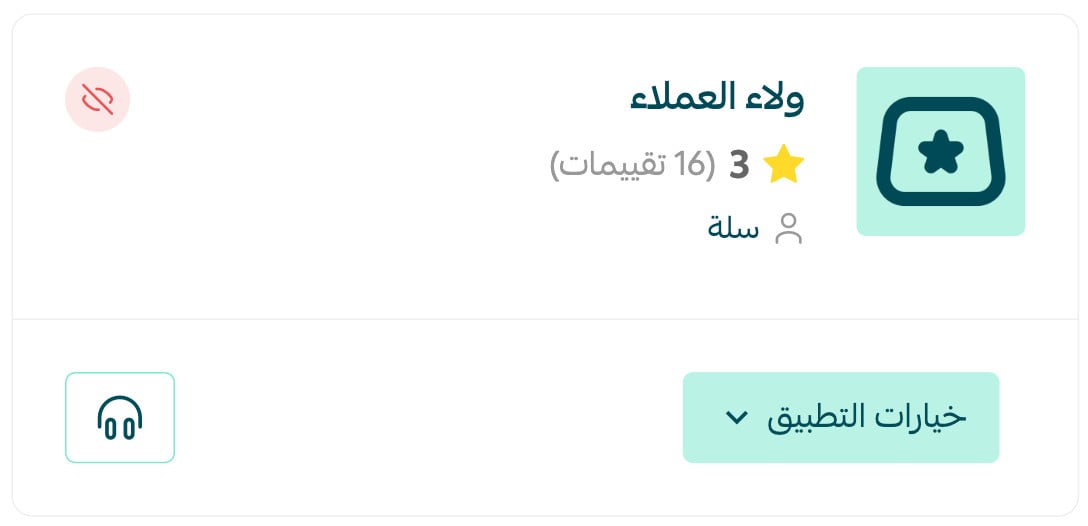
3. Search for the Customer Loyalty app, open its page and click Install. Once installation finishes the system is ready to configure.
The app runs on a subscription, so book its cost as marketing spend rather than platform overhead. The break-even test is simple: if it brings back one extra order a month with a basket above the subscription price, it has paid for itself.
Opening and enabling the system
1. In the side menu click Marketing Tools.

2. On the Marketing Tools page, in the Advanced Tools section, click Customer Loyalty.

3. On the settings page, switch the Loyalty system toggle on. Do not publish the program before you finish configuring points and rewards below.

General options: name, description, image
General options defines the identity customers see for the program.
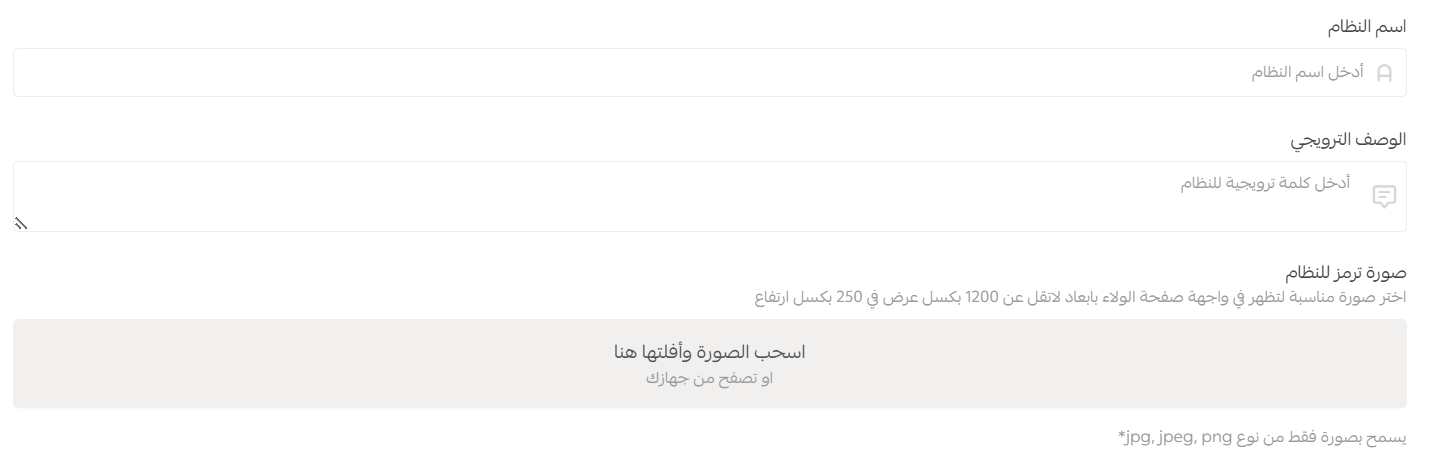
- Program name: give it a name that belongs to your brand rather than the generic word "Points" — branded names get repeated, generic ones get ignored.
- Promotional description: one sentence in the customer's language: what they earn and how they redeem it. Keep the fine print out of here.
- Interface image: shown on the loyalty page in your storefront. Use brand colours and a short line that makes the idea obvious at a glance.
Write it like promotional copy: value first, then how to earn it, then the shortest possible path to the checkout.
Ways to earn points
In the Points section click Add a new method and pick how customers earn points.
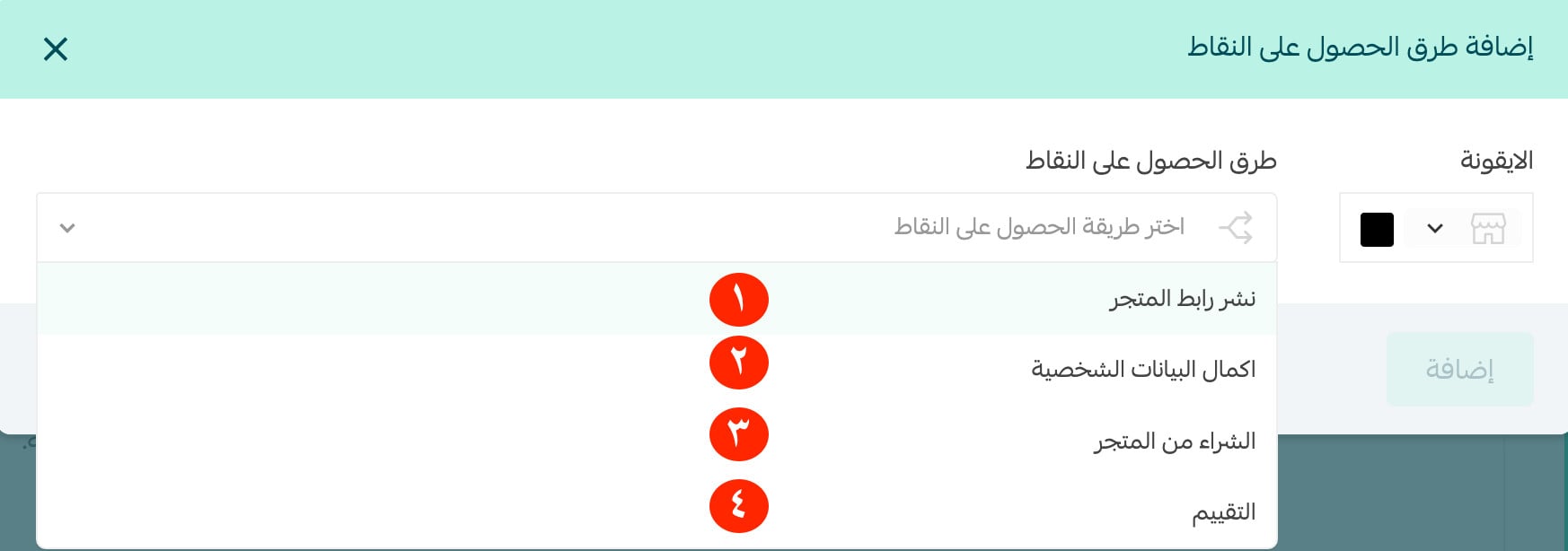
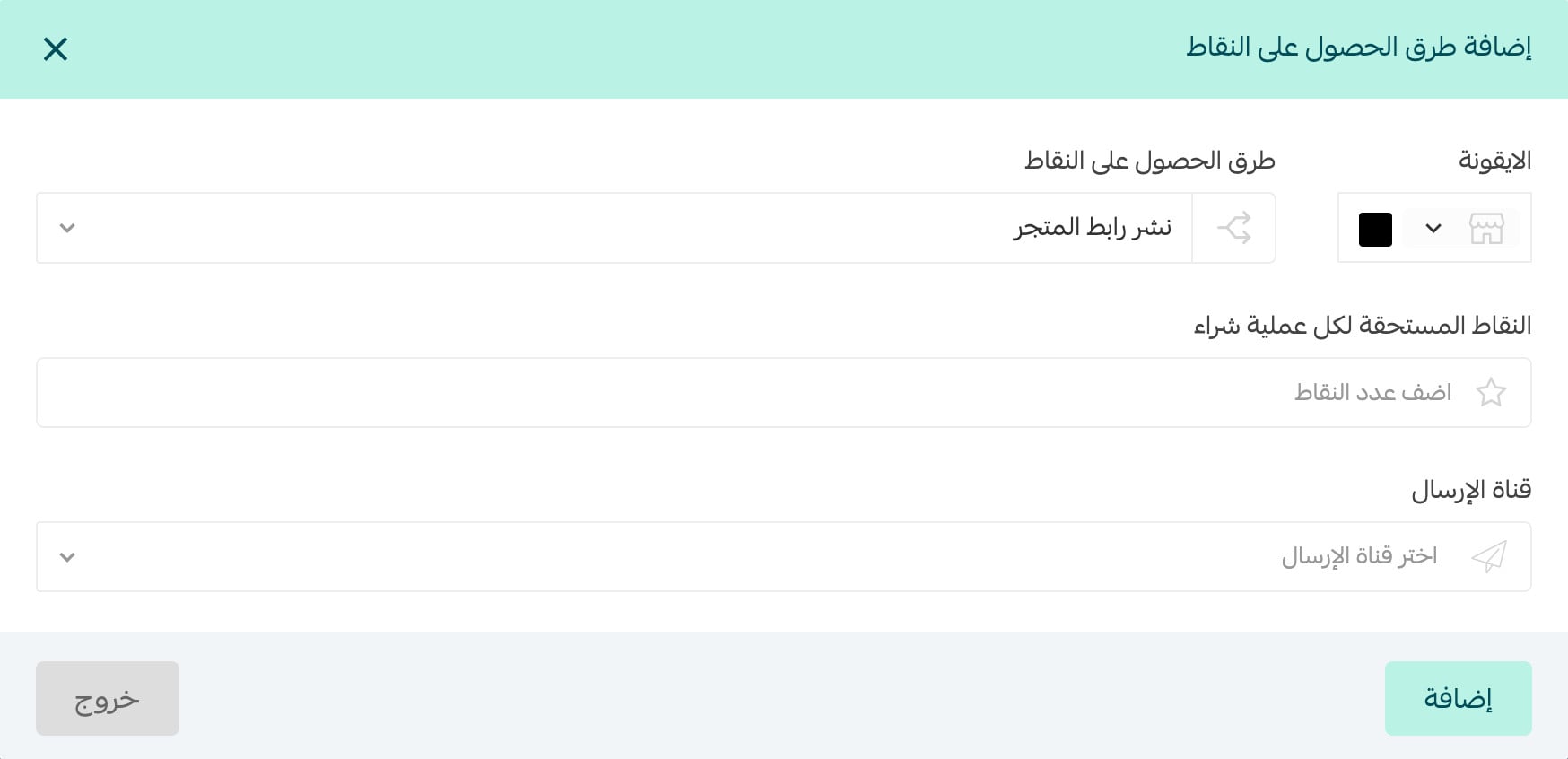
1. Sharing the store link. Set the points earned for sharing your store link, choose one or more notification channels (SMS, email, app notifications), then click Add.
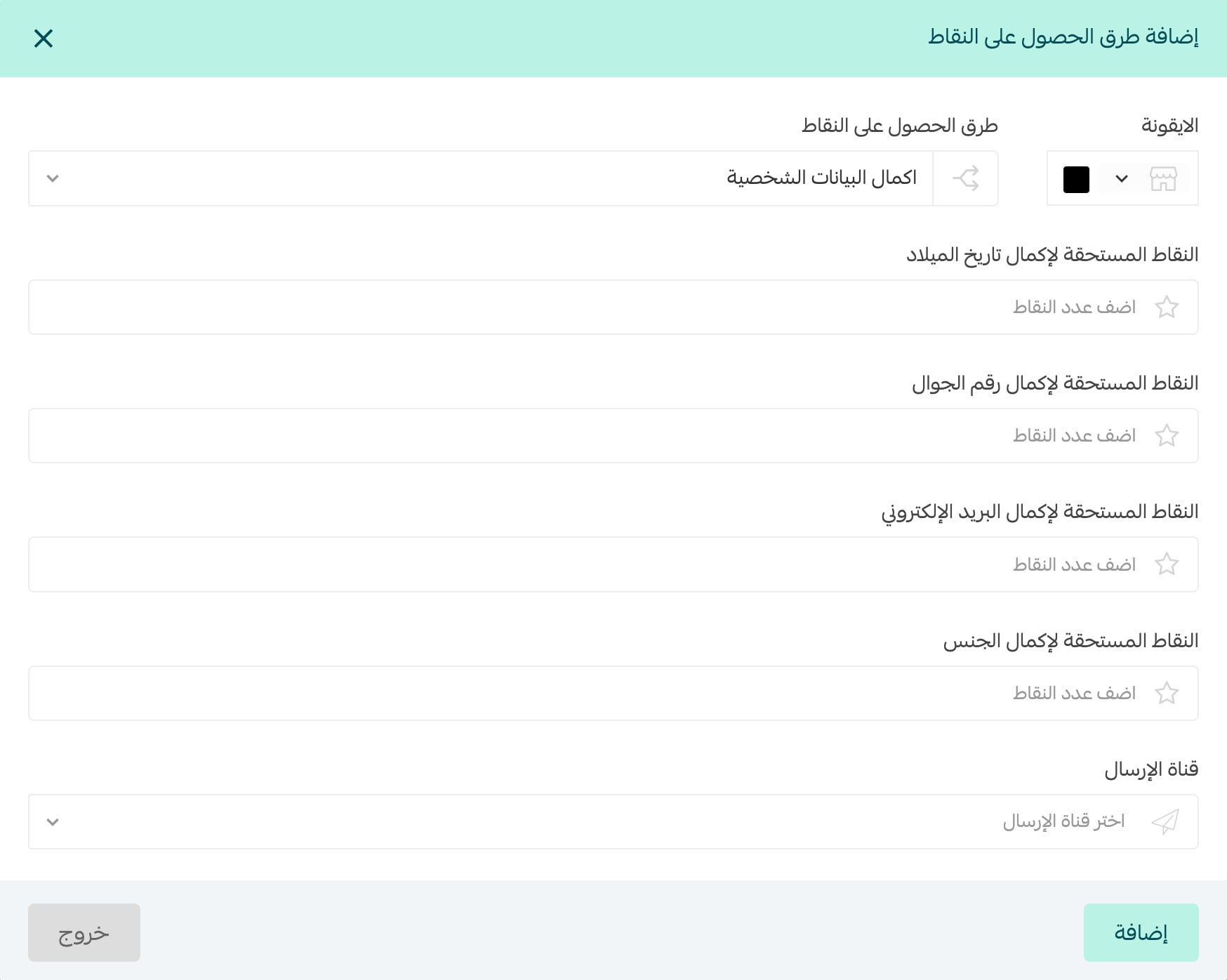
2. Completing the profile. Award points for adding a date of birth, mobile number, email and gender — the cheapest first-party marketing data you will ever collect, so do not be stingy here.
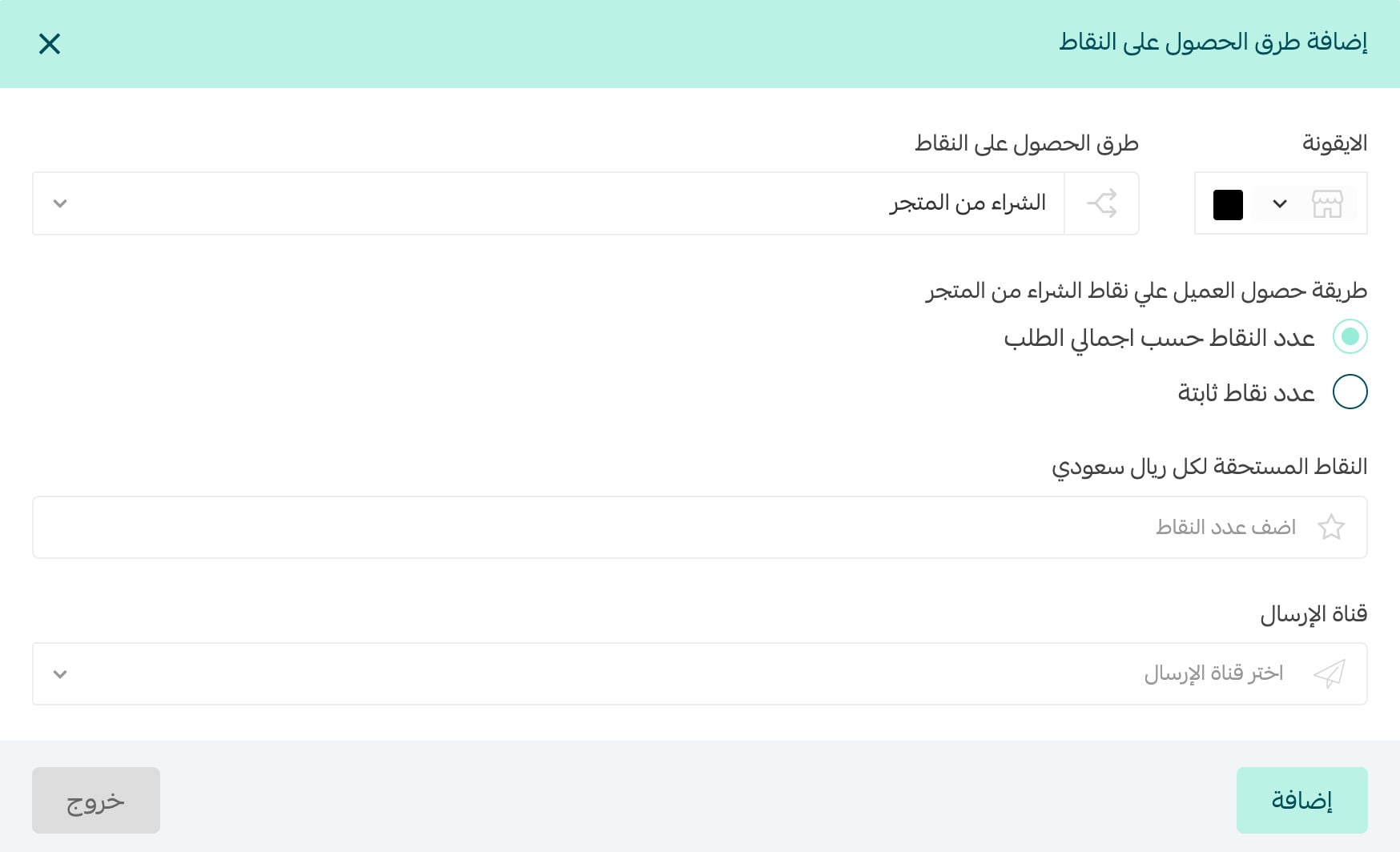
3. Purchasing from the store. Choose how points are calculated after checkout, set the amount, pick the notification channel and click Add. This is the engine of the program; every other method supports it.
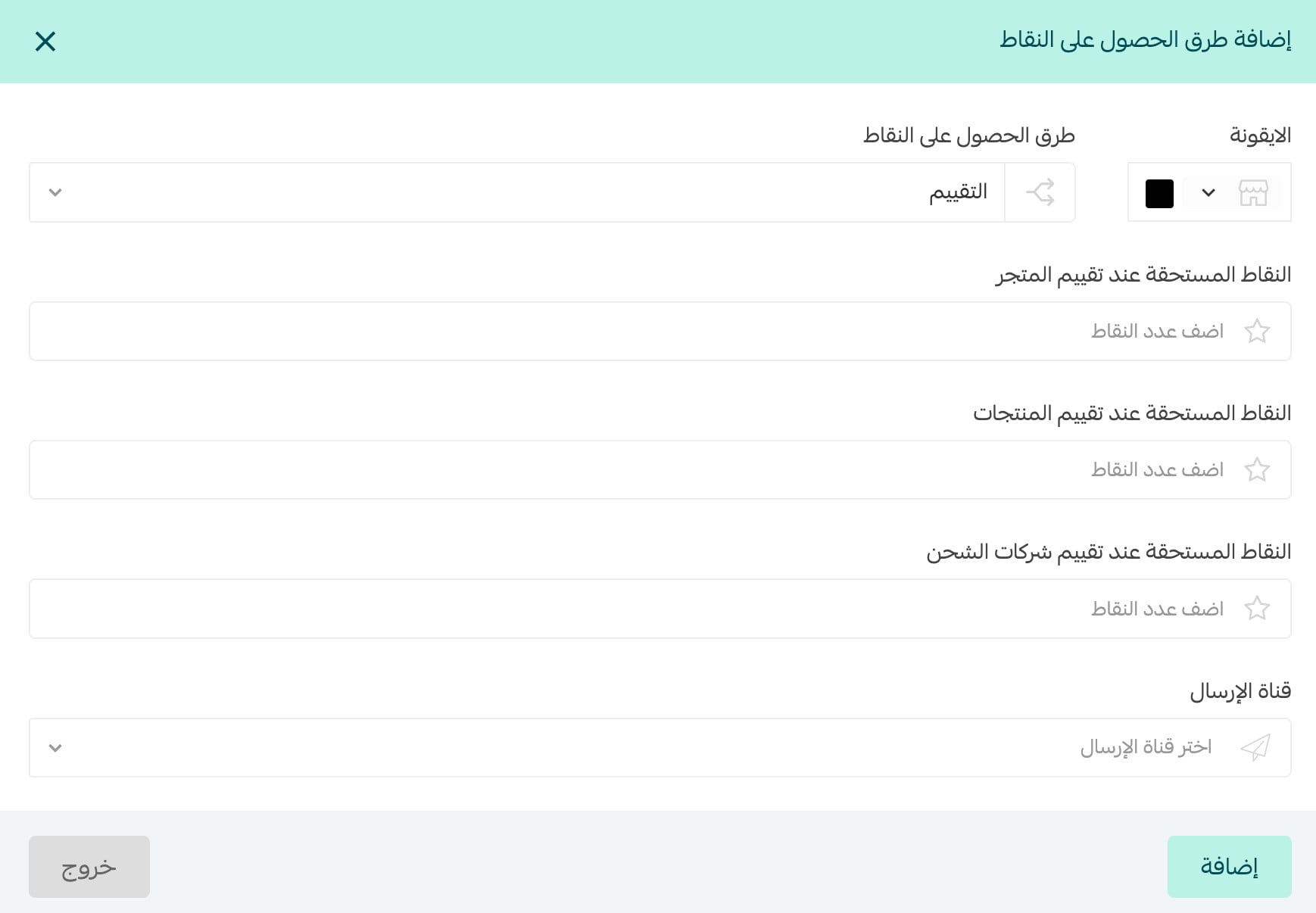
4. Reviews. Set separate values for reviewing the store, products and shipping companies. Reviews build social proof that lifts conversion, and feed the rating data that can surface in search results.
Every review is fresh content plus rating data that can appear in search results. See the structured data guide to put it to work.
When points are granted and when they expire
1. Choose the order statuses that credit points to the customer's balance (shipped, out for delivery, delivered), and how long after the status change they are granted.
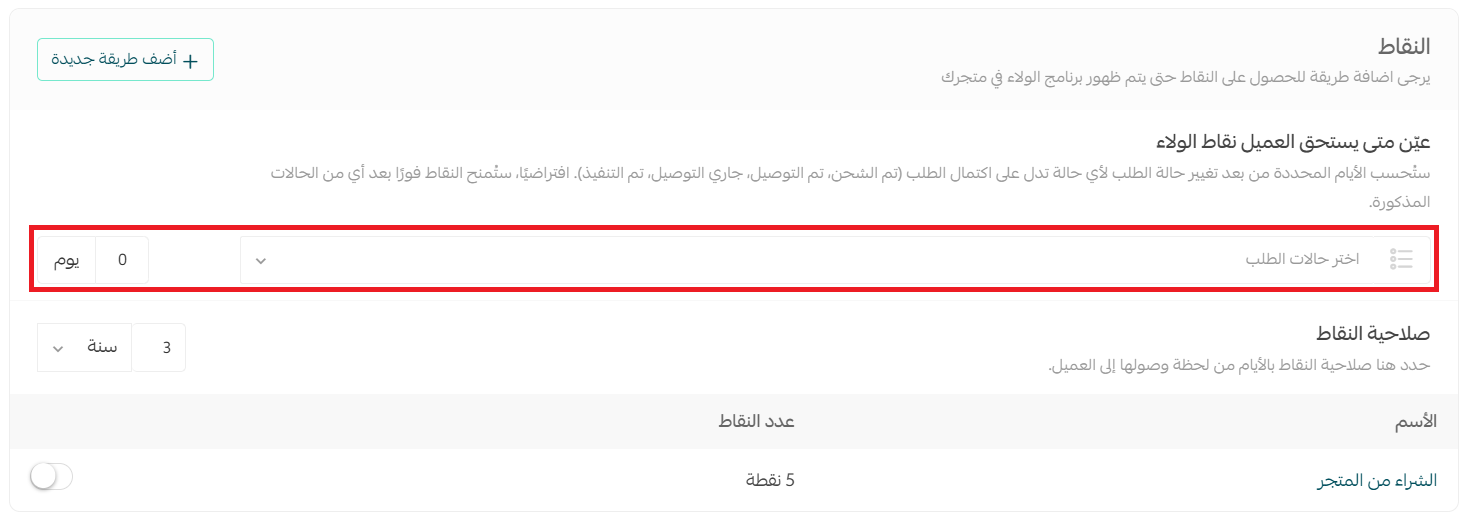
Tie eligibility to "Delivered" plus a delay covering your returns window. Granting points the moment payment clears lets a customer who returns the order keep points they never paid for.
2. Set the expiry period in days and months. Expiry is not squeezing customers; it gives points a deadline, and deadlines bring people back.
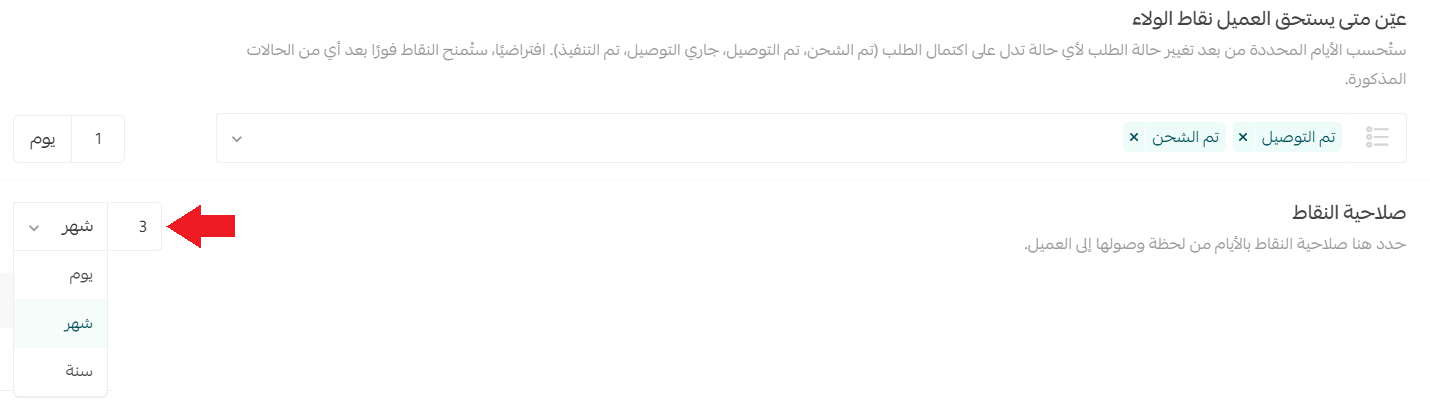
3. Enable or disable any earning method with its own toggle, without deleting and rebuilding it.

Rewards customers redeem points for
In the rewards section click Add a new reward, then pick the type from the list.
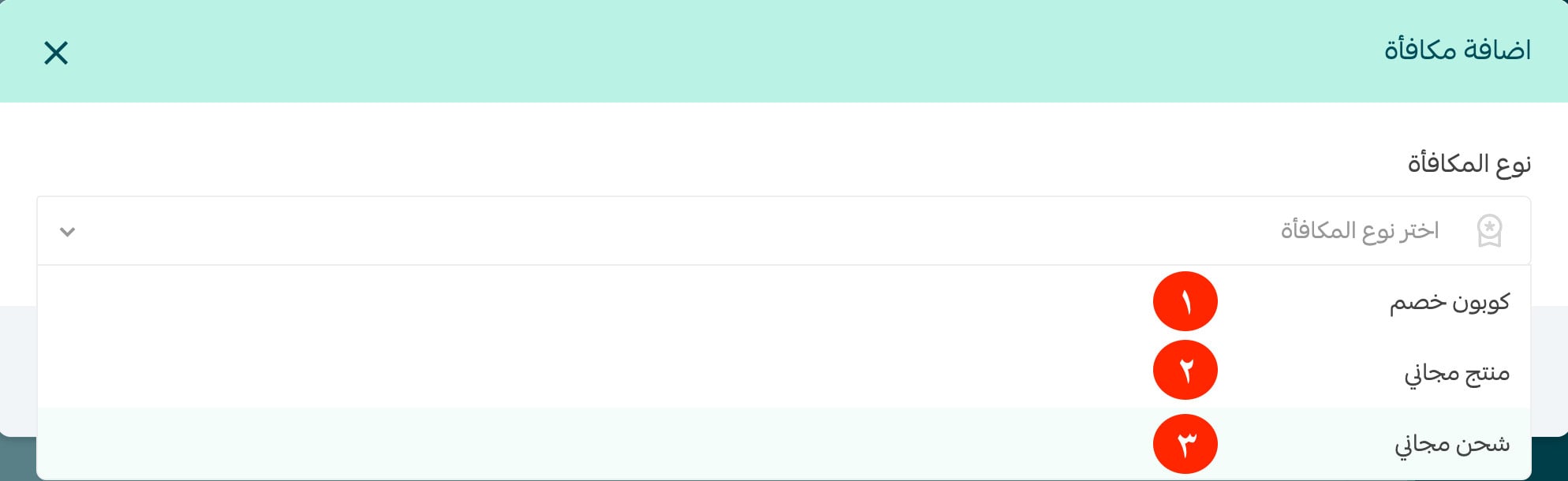
1. Discount coupon. Add the description customers will see, the points required, the coupon type and percentage, the categories it covers, a minimum purchase, a maximum discount value and a reward image, then click Add.
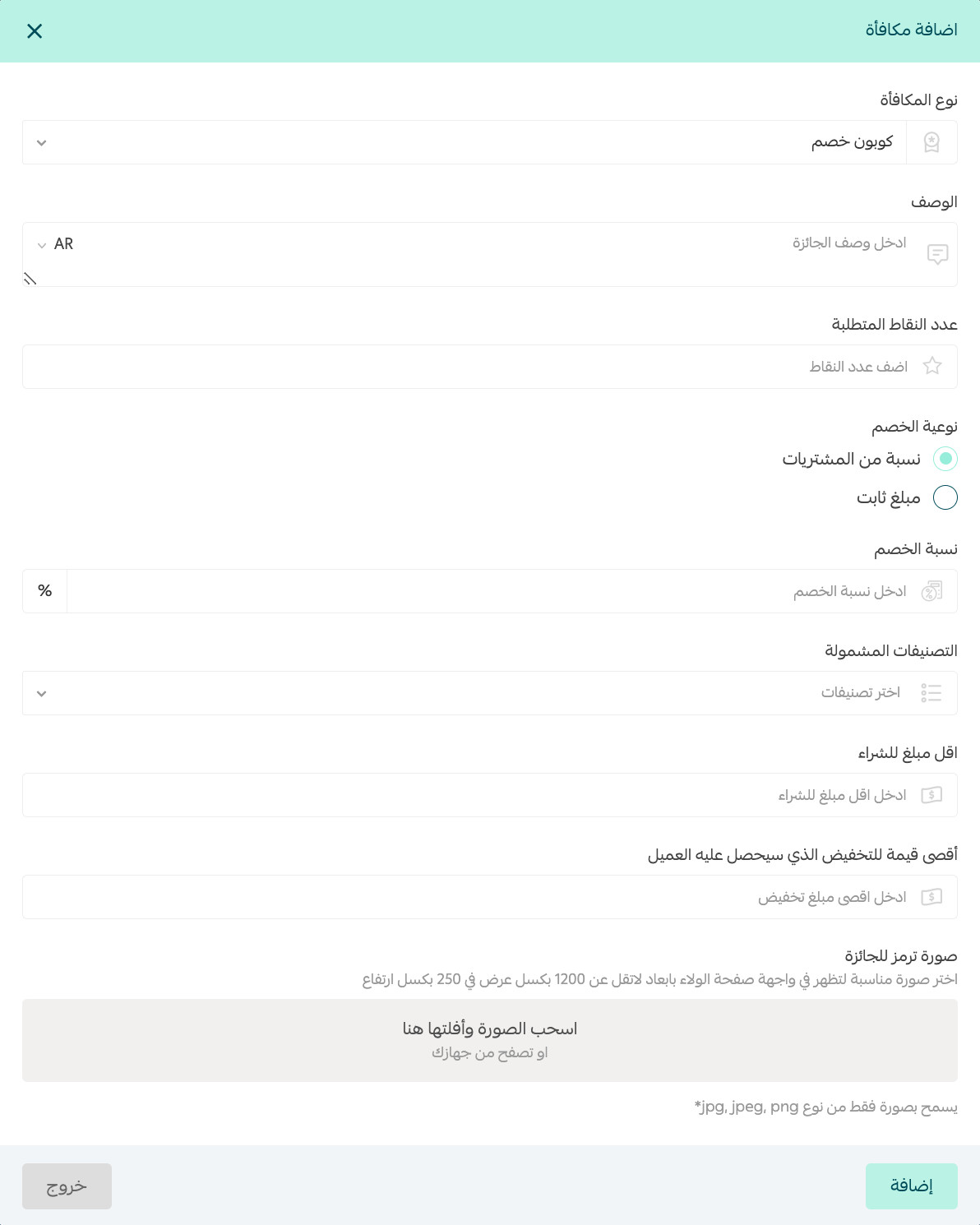
An uncapped percentage can swallow your entire margin on a large order. Always set both a minimum purchase and a maximum discount value, and exclude your low-margin categories from the coupon.
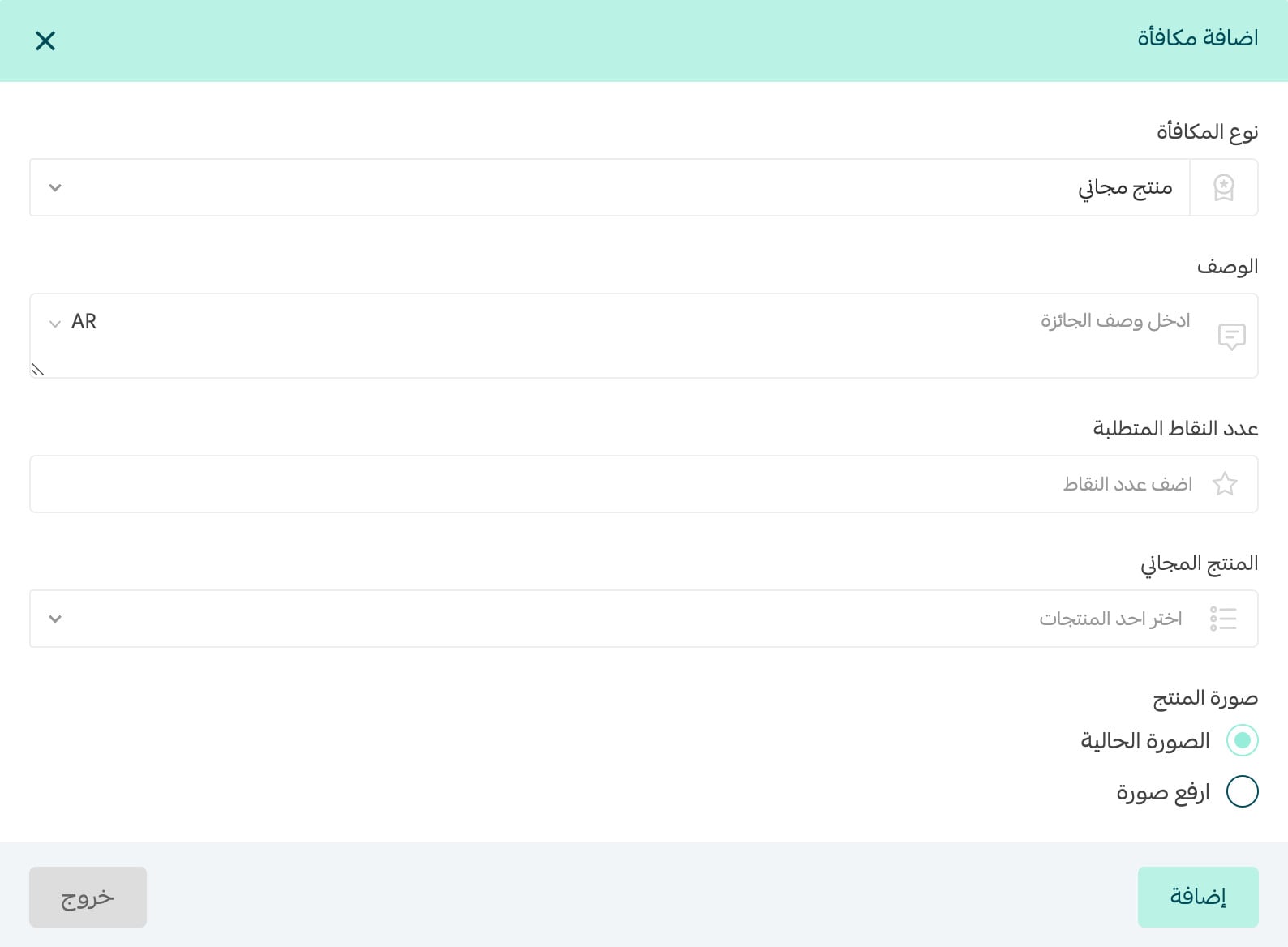
2. Free product. Add the description and required points, search your catalogue for the free product, choose the image customers will see, then click Add.
3. Free shipping. Add the description and required points, enable the option to apply the free shipping conditions already set in shipping settings, then click Add.
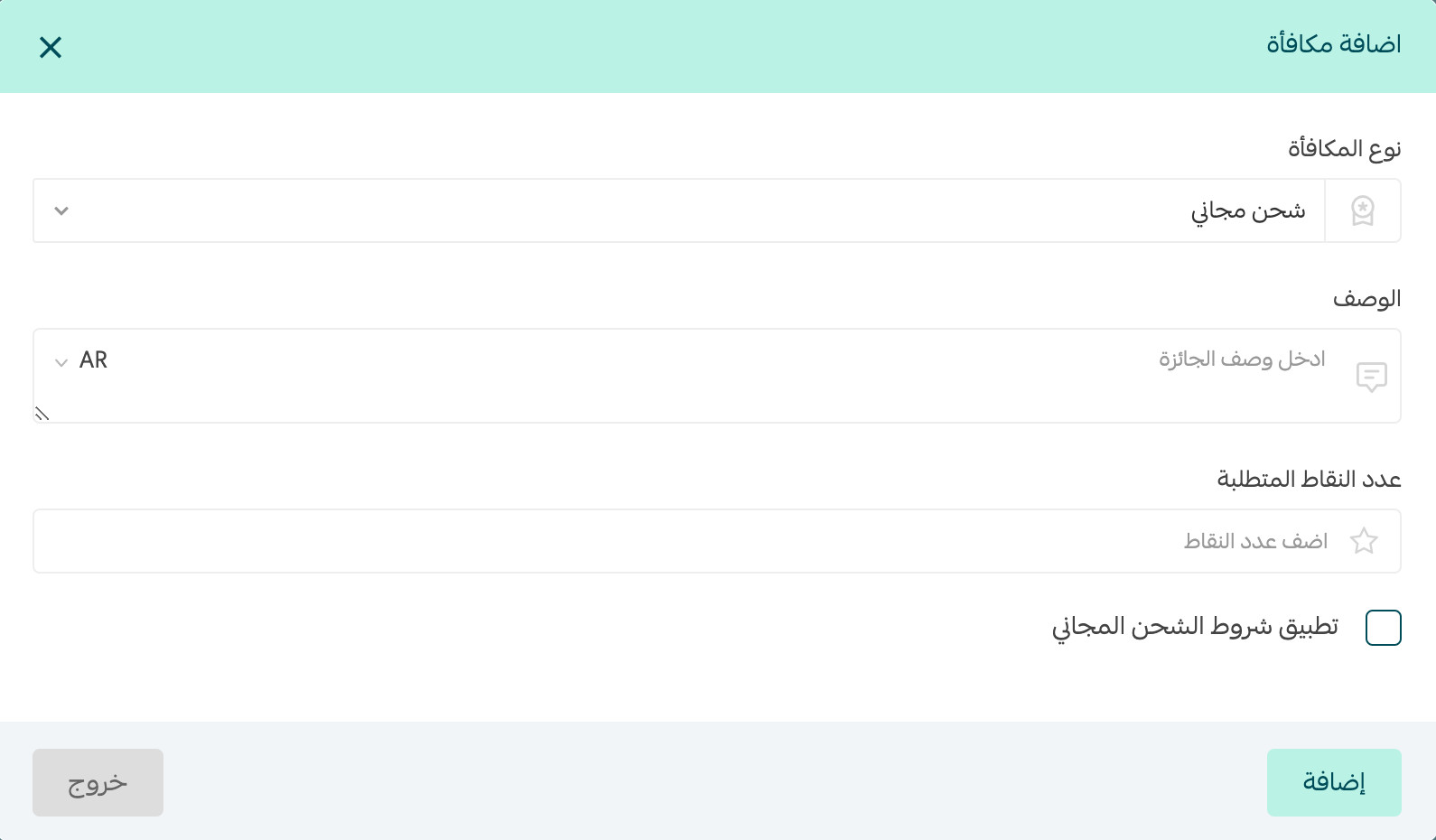
Every reward has its own toggle too, so you can rotate seasonal rewards without rebuilding them.
Expiry reminders
In the reminders section click Add a new reminder and fill in its details: how long before expiry to send it, one or more delivery channels, the notification title and the message body, then click Add.
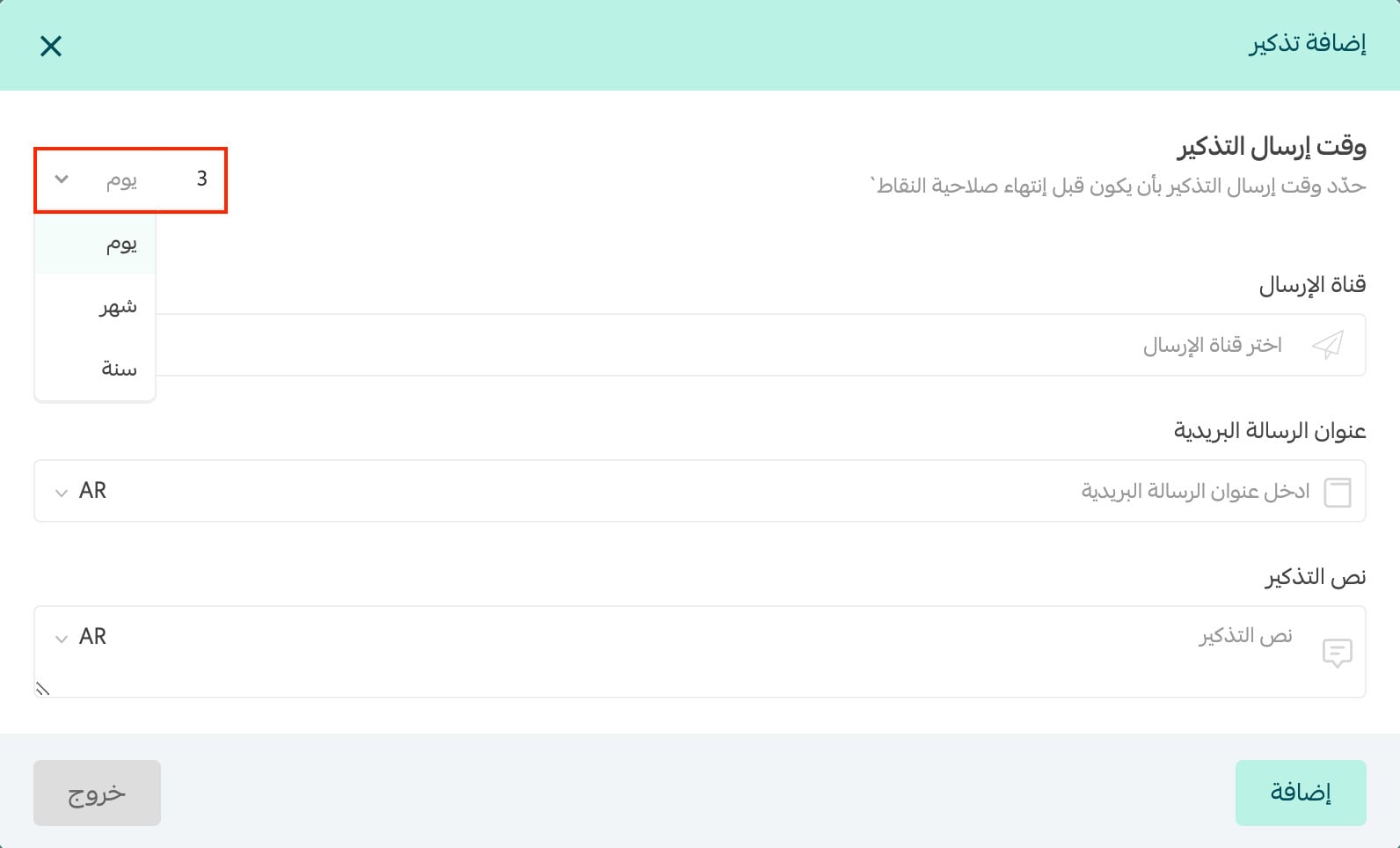
Once everything is configured, click Save to make the program visible. Each reminder has its own on/off toggle.
"You have 300 points expiring in 7 days" outperforms almost any generic promotional email: it reminds someone of something they own and are about to lose. Send one reminder two weeks out, a second three days out, and stop there.
Point economics: pricing a point properly
The most common mistake is setting point values by gut feel. Start from the cash value of a point and work backwards. Decide the give-back rate you can accept — say 5% of order value. If your average basket is 200 SAR and you award a point per riyal, a customer collects 200 points per order, worth a 10 SAR reward. Price the coupon at roughly 600 points so it takes three orders to reach: repeat purchase behaviour at a cost you calculated in advance.
- Calculate from margin, not revenue: at a 30% margin, a reward worth 10% of the order eats a third of your profit. Tune the give-back rate until you can live with it.
- Make the first reward reachable: a customer who needs ten orders to unlock anything quits trying. Keep the first reward two or three orders away.
- Build reward tiers: a small quick win, a mid-level reward, and a large one worth saving for. That ladder keeps people inside the program.
- Watch the redemption rate: if points pile up unredeemed, your rewards are too distant or too dull. Unredeemed points are a failure signal, not profit.
Running the program as a growth channel
A loyalty program is not a switch you flip and forget; it is a marketing channel that needs promotion and measurement. Announce it on a dedicated page explaining the mechanics in plain language, linked from your main menu and checkout. That page does double duty: it explains the program to existing customers, and captures real searches for loyalty points in your category.
Next, wire points into the post-purchase journey: the order confirmation states how many points they will earn, the delivery message confirms they landed, and the review request reminds them reviewing earns more. That turns a silent feature into a recurring reason to make contact.
The strongest play is multiplying points for a campaign: an influencer whose followers earn double points through a dedicated link, or double points seasonally to move slow stock. Customers holding a balance abandon carts less often, so read the abandoned carts guide and fold a points reminder into recovery messages.
Common mistakes: launching without rewards ready, so customers collect points with nothing to aim at; vague eligibility rules that generate support tickets; an expiry window so short it feels punitive; and never measuring repeat purchase rate. Track redemption and monthly repeat orders to see what works.
At SEOS7 we analyze, optimize, maximize: we earn search traffic, then turn it into customers who come back. Explore Salla store SEO, or browse our case studies.
Frequently asked questions
Is Salla's customer loyalty system free?
No, it is a paid subscription app installed from the Salla app store, and it only appears under Marketing Tools once installed. Budget it as marketing spend, not platform overhead.
When are loyalty points added to a customer's balance?
When the order reaches a status you choose, such as shipped or delivered, plus the delay you configure after that status change. Tying eligibility to delivery with a delay covering your returns window is safest.
What reward types can customers redeem points for?
Three: a discount coupon with a percentage you set plus minimum purchase and maximum discount limits, a free product chosen from your catalogue, or free shipping that can inherit the conditions already set in your shipping settings.
Can I pause an earning method or a reward temporarily?
Yes. Every earning method, reward and reminder has its own toggle, so you can disable one and bring it back later without deleting and rebuilding the configuration.
How long should loyalty points stay valid?
It depends on your purchase cycle. For frequently repurchased goods such as skincare, three to six months works well. For long-cycle products, give a full year with two reminders before expiry.
Want a loyalty program running on a growing traffic base instead of spinning in a vacuum? The SEOS7 team combines search traffic, a strong online reputation and a better purchase path. Request a free SEO audit for your Salla store — results within 48 hours, no strings attached.